

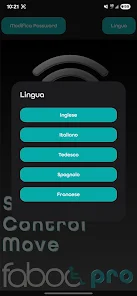



SCM Faboc User PRO streamlines supply chain monitoring and factory operations with a compact mobile toolkit. The app consolidates inventory, orders, and production status into a single dashboard, enabling managers and technicians to track metrics, receive alerts, and coordinate tasks quickly from Android devices.
SCM Faboc User PRO is designed for operational teams who need near-real-time visibility across manufacturing and logistics workflows. It reduces reliance on desktop systems by bringing core functions to a pocket-sized interface. The review below looks at functionality, usability, and practical value for production supervisors, planners, and field engineers.
The application centralizes data from multiple sources, letting users monitor inventory levels, job progress, and incoming/outgoing shipments. It supports role-based views so each user sees the information relevant to daily decisions. Alerts and push notifications keep teams informed about exceptions and delays without constant manual checking.
On a typical shift supervisors open SCM Faboc User PRO to review the shift dashboard, check outstanding tasks, and prioritize interventions. Technicians use the barcode scanner to update part movements while planners adjust schedules based on live consumption. The app’s notification feed highlights items requiring immediate attention, so teams can reduce response times and avoid bottlenecks.
The interface favors clarity over decoration. Menus are concise, icons are functional, and color coding helps identify priority items quickly. Performance is responsive on mid-range devices; animations are minimal which improves load times. For organizations with high transaction volumes, background sync and incremental updates keep the app lightweight and efficient.
SCM Faboc User PRO integrates with common ERP and WMS platforms through APIs and secure webhooks. Data exchange supports both push and pull models, making it adaptable to existing architectures. Security features include role-based access control, encrypted transport, and session timeouts to protect sensitive operational data on mobile endpoints.
The app can be tailored to industry-specific workflows. Administrators can configure dashboard widgets, define alert criteria, and set user permissions without code changes. This flexibility reduces implementation time and helps teams adopt the app gradually, starting with a few core modules and expanding as processes mature.
Installation follows a straightforward APK process for Android devices. After installing SCM Faboc User PRO, administrators link the app to backend systems via a secure connection. The initial setup includes creating roles, mapping inventory locations, and importing a short list of reference items to validate workflows. Support documentation and in-app help streamline these steps.
For teams focused on operational agility, SCM Faboc User PRO provides a practical mobile front end that reduces friction in daily execution. Its combination of real-time visibility, offline resilience, and configurable alerts makes it a useful tool for modern manufacturing and logistics operations.