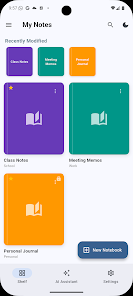
NoteFlow: Note to PDF Creator transforms handwritten or typed notes into polished PDF documents quickly and without fuss. Designed for students, professionals and organizers, NoteFlow streamlines capturing pages, arranging layouts, and exporting sharable PDFs that retain formatting and clarity across devices.
NoteFlow: Note to PDF Creator focuses on essential tools that speed up document production. Capture pages with your camera, import images or text files, and convert them to single or multi-page PDFs. Built-in cropping, edge detection and perspective correction make scans legible, while automatic contrast and brightness adjustments improve readability for low-light captures.
The app guides you from capture to final PDF in a few straightforward steps. Point-and-shoot or choose files from storage, arrange page order with drag-and-drop, then pick export settings such as paper size, orientation and compression level. Conversion happens locally by default, giving faster results and preserving privacy for sensitive notes.
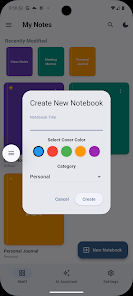
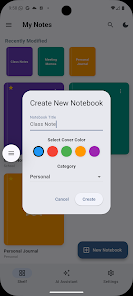
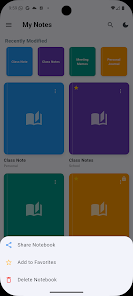
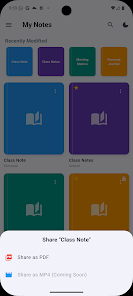
NoteFlow offers a simple filing system to keep documents accessible. Create folders and tags, add searchable titles, and archive old projects. A thumbnail preview helps you scan a notebook at a glance, while batch operations let you merge, split, rename or delete multiple PDFs in one action, saving time when managing large collections.
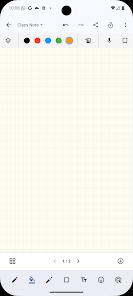
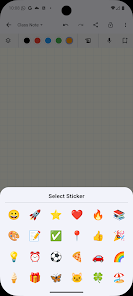
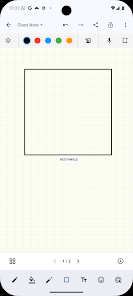
Before exporting, add inline annotations: highlight text, insert typed comments, or draw freehand shapes with a stylus or finger. Use the erase and undo tools to refine marks. For typed content, text boxes can be resized and aligned, making it easy to annotate lecture slides, meeting notes or printed materials prior to generating the final PDF.
Exported PDFs conform to common standards for readability across devices and apps. Share files directly through email, messaging apps or cloud services like Google Drive and Dropbox. For extra control, choose from compression presets to reduce file size or enable high-quality output for printing. Password protection and simple watermark options provide additional document security when needed.
Personalize NoteFlow with templates and default settings that reflect your workflow. Set a preferred page size (A4, Letter, Legal), default compression level, and orientation so exports match institutional or personal requirements. Create reusable templates for reports, lecture notes or invoices to speed up repeat tasks.
NoteFlow is optimized for modern Android devices and handles multi-page documents with smooth performance. The app minimizes battery drain during scanning sessions and keeps file processing efficient even on mid-range hardware. Compatibility with popular cloud platforms ensures you can access PDFs across phones, tablets and desktop environments.
Local processing keeps your content on your device unless you choose to upload it. When cloud sync is enabled, NoteFlow uses secure protocols to transmit files. Clear prompts explain when data leaves your phone and what permissions are needed, helping you manage privacy and storage choices confidently.
Whether you need fast digitization for classroom notes, professional documentation or archiving handwritten ideas, NoteFlow: Note to PDF Creator provides a balanced set of tools for creating clean, shareable PDFs. The app emphasizes speed, clarity and practical controls so that converting notes into professional documents becomes a routine part of your productivity toolkit.