



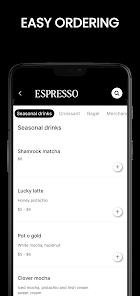




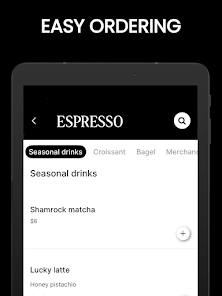


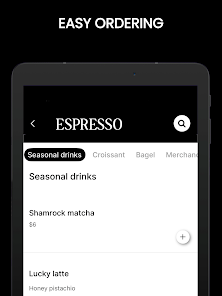
Espresso Gallery and Cafe is a dual-purpose Android app that blends photo organization with a cozy coffee shop theme, letting users curate images and manage cafe-style content through an intuitive, stylish interface. It simplifies gallery browsing while offering cafe-inspired tools for sharing, tagging, and presenting photos to friends.
The app centers on simple, efficient photo management with a few distinct twists. Espresso Gallery and Cafe provides fast album creation, adaptive sorting, and smart search so you can locate memories quickly. Built-in editing basics let you crop, rotate, and adjust color without launching a separate editor. Sharing options cover social apps, email, and export to cloud storage, and batch operations make repetitive tasks painless.
A modern, tactile interface gives the app its personality. Menus and gestures are laid out for one-handed use, with clear icons and minimal visual clutter. Espresso Gallery and Cafe uses a warm color palette and subtle textures that evoke a cafe atmosphere while maintaining accessibility: legible fonts, adjustable thumbnail sizes, and consistent tap targets ensure a pleasant browsing experience on phones and tablets.
Organization is flexible: create custom albums, pin favorites, or rely on auto-generated collections based on dates, locations, or detected subjects. Tagging is streamlined with predictive suggestions and multi-select tagging for batches. The app supports nested folders and provides an undo history for recent changes so you can experiment risk-free. For users who work across devices, two-way sync with major cloud providers keeps libraries consistent.
Presentation is where the cafe concept comes alive. Espresso Gallery and Cafe includes slideshow templates styled like menu boards and gallery walls, making it easy to craft themed presentations for family or small events. Slides support captions, background music, and transition timing. There is also a guest mode for shared viewing sessions, allowing others to browse selected albums without accessing private folders.
Engineered for responsiveness, the app performs smoothly on a wide range of Android devices. Image loading uses smart caching and progressive rendering to reduce wait times during navigation. Memory management prioritizes visible content while offloading large files to temporary cache. Compatibility extends to Android versions commonly in use and supports popular image formats including JPEG, PNG, HEIC, and animated GIFs.
Privacy controls are straightforward: private albums can be locked with a PIN or biometric authentication, and permission requests are clearly explained during setup. For storage, Espresso Gallery and Cafe offers local-only modes, selective cloud backup, and granular control over what syncs automatically. Backup and restore wizards simplify migration between devices without exposing data to unnecessary services.
Customization goes beyond themes. Users can set default export sizes, customize sorting logic, and choose whether metadata like location or device info is included on shared files. Plugin-style integrations let third-party editing apps open images directly from the gallery. Frequent updates add seasonal themes and template packs to keep the experience fresh.
Beginning with Espresso Gallery and Cafe is straightforward: install the app, grant optional permissions for media access, and follow a brief guided tour to import photos. The initial setup walks through creating a first album and toggling sync preferences. New users can try slideshow templates or explore tagging suggestions to see how automatic organization works.
Espresso Gallery and Cafe strikes a balance between practical gallery tools and delightful presentation features. Its blend of performance, privacy options, and cafe-inspired presentation templates makes it a practical choice for users who want a gallery app that is both functional and personable.