



Smart Notify is a lightweight Android utility that centralizes and customizes system alerts, letting you filter, prioritize and respond to notifications without opening every app. It streamlines incoming messages, creates per-app rules, and schedules quiet hours to reduce interruptions while keeping important alerts visible and actionable.
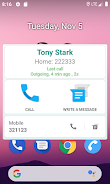
At its core, Smart Notify reorganizes how notifications reach you. Instead of a single chronological list, the app groups alerts by importance, app category, and context. You can mute noisy apps, highlight messages from specific contacts, or promote critical alerts to persistent status bar icons. The result is fewer distractions and faster triage when your phone buzzes.
Install and grant notification access, then spend a few minutes setting up profiles. You might create a “Work” profile that mutes social apps and highlights email, and a “Home” profile with broader permissions. Smart Notify uses simple toggles and templates to make this quick. Once active, the app runs in the background with minimal battery impact and adapts to changes as you use your device.
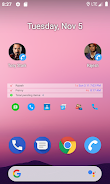
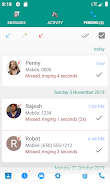
The interface favors clarity. A dashboard summarizes active rules, recent alerts and system health. Settings are layered so beginners can rely on presets while power users can fine-tune behavior with advanced conditions. Themes and compact layouts keep the notification drawer tidy without sacrificing readability.
Smart Notify requests only the permissions required to manage notifications and operate scheduled functions. It does not upload message contents to external servers; most processing is performed locally. You can review or revoke permissions at any time, and the app provides clear explanations for each access request.
Efficient event-driven design minimizes CPU wakeups. Smart Notify avoids persistent polling and defers non-essential tasks to maintenance windows. On modern devices the memory footprint is small and battery drain is negligible compared with typical messaging apps. The settings screen includes a performance report so you can monitor resource usage and adjust features if necessary.
Customize sounds, LED colors (where supported), vibration patterns and visual styles for each rule. You can set multi-condition triggers — for example, trigger a distinct ringtone for messages containing a project name only during weekday hours. Templates help you apply consistent rules across multiple apps with a single tap.
Smart Notify balances power and simplicity. It gives you the control of a complex notification manager without overwhelming menus. The combination of per-app rules, contextual scheduling and a searchable history makes it useful for professionals, students and anyone who juggles multiple communication channels. Regular updates add compatibility for new Android versions and refine automation options.
Download from your preferred app store, grant notification permission, and choose a starter profile. Expect to spend 5–10 minutes tailoring a few rules. Once configured, Smart Notify handles routine interruptions so you can focus on the task at hand. If you want tighter control, explore advanced conditions and integrate the app with system shortcuts and widgets.
For users who receive high volumes of alerts, Smart Notify is a pragmatic tool to reduce noise and make notifications actionable again. With a modest learning curve and thoughtful defaults, it turns an overloaded status bar into a manageable, useful stream of information.