
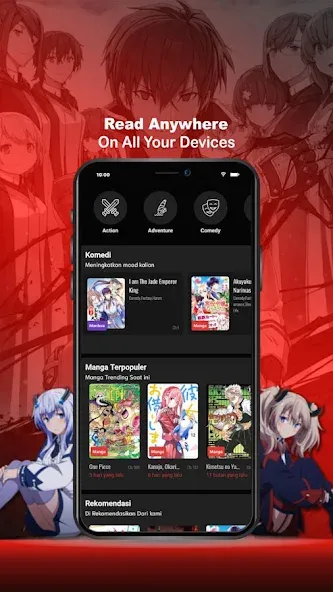

While waiting for a delayed train, a compact comic reader can turn idle minutes into something enjoyable and productive. BacaKomik brings a broad mix of comic and webtoon content into one Android app so you can browse series, jump into a chapter, or follow ongoing releases without hunting across multiple sites. The interface focuses on clarity and quick access, and the app supports both continuous and page-by-page reading styles. This review walks through how BacaKomik works, what it offers, and practical tips to get the most from the app.
Install and initial setup: Download the APK, accept basic permissions, and open the app to land on a home feed of recent updates and popular titles.
Search and discovery: Use the search bar and filters to find genres, authors, or specific series; BacaKomik groups results so spotting new series is straightforward.
Reader modes: Toggle between vertical scroll and page slider modes inside the reader, letting you choose continuous scroll for long chapters or a swipe-based experience for single-page navigation.
Account and sync: Creating an account preserves your reading history and favorites on supported builds, so your list follows you across devices when available.
Large library: The app aggregates a wide range of comics and manga, from older classics to recent webcomic entries, making discovery easy.
Multiple reading options: Scroll reading and slider reading are available, so you can pick the format that feels most natural for the title you are on.
Frequent content refresh: Chapters and new releases appear regularly, helping you keep up with current storylines without manual checks.
Offline access varies: Some releases may offer a download option in certain versions, while other builds require an internet connection, so check the availability in your app build.
Ad-supported free use: BacaKomik provides free access to many titles and includes ads to support the service; ads are usually dismissible so reading continues with minimal interruption.
Switch reader modes for legibility: When art is dense or panels are tall, try page slider for focused viewing; use scroll mode for smooth uninterrupted chapters.
Manage data usage: Download over Wi-Fi when possible and enable any low-bandwidth options to avoid excessive mobile data consumption while reading.
Organize your list: Add series to favorites or create a reading list to track titles you want to return to; check the update timestamp to see if new chapters arrived.
BacaKomik is a practical reading hub that makes browsing and following comics simple and fast, particularly if you value a tidy interface and flexible reader modes; just be aware that some features like offline downloads can vary by build and ads are part of the free model, so if you need guaranteed offline access or an ad-free environment you may need to check the app version or look for premium options elsewhere.