
Need a mobile photo editor that handles RAW files and smart selections? Adobe Photo Lightroom brings a compact yet capable image workflow to Android, blending fast editing controls with smarter automatic tools. The app aims to cover everything from quick fixes to multi-photo projects, and it makes organizing, editing, and exporting images straightforward on a phone or tablet. Whether you want a one-tap filter before posting, or a deeper batch edit session for a shoot, Adobe Photo Lightroom keeps the tools accessible and the originals safe.
Smart selection tools: The app identifies subjects, skies, and common scene elements so you can apply targeted adjustments without painstaking manual masks.
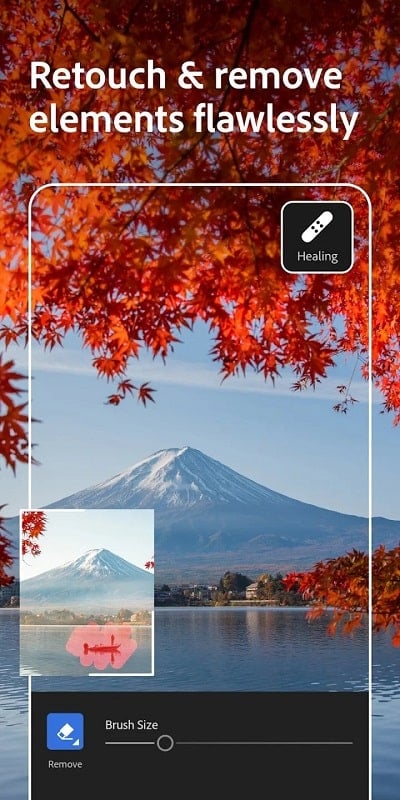
Generative and cleanup options: Assisted removal and background cleanups help tidy a frame when you need to remove distractions or neaten edges.
Cross-device sync: Edits, presets, and photo collections can follow you between phone, tablet and web, keeping a consistent library across devices.
RAW and large-file handling: Native RAW support lets you access full sensor data on many cameras and avoids extra file conversion steps.
Non-destructive edits: All changes are stored as instructions so your original image remains untouched and reversible.
Advanced color and tone controls: Precision sliders for exposure, contrast, highlights and shadows give you direct control over image mood.
Presets and profiles: Save or apply looks across photos to speed up a multi-image edit or to maintain a consistent aesthetic for a series.
Organization and metadata: Sort, star, tag and filter collections so you can find shots by keywords, ratings, or camera info.
Import photos: Tap import to pull images from your device, cloud storage or camera roll; the import view also previews RAW thumbnails where supported.
Apply quick edits: Use Auto as a starting point and then tweak exposure, temperature and contrast to taste; presets speed up repetitive tasks.
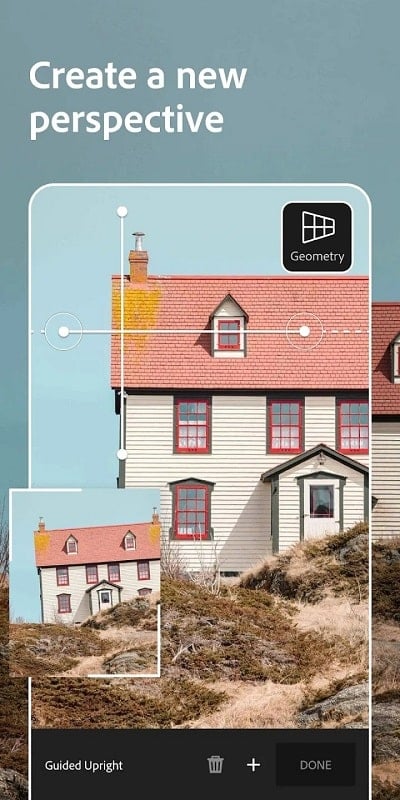
Use selective tools: Switch to masks or subject selection to refine edits to a face, sky or foreground object, and adjust the effect strength precisely.
Export and share: Choose format and resolution when exporting; save copies or share directly to social apps or cloud folders for easy delivery.
Do I need a subscription to use the app?
Some core editing functions are free, while advanced features like selective masking, cloud storage beyond a base amount, and desktop syncing typically require a Creative Cloud subscription.
Can it edit RAW images from my camera?
Yes. The app supports many RAW formats so you can work on unprocessed files directly on mobile without converting them first.
Will edits made on mobile appear on my desktop?
If you sign in and enable sync, edits, collections and presets can be reflected across devices so you can continue work on a larger screen.
Compared with traditional desktop-only editors, Adobe Photo Lightroom delivers a mobile-first balance of power and convenience, ideal for photographers who move between devices or need fast, reliable tools on the go. It won’t replace every advanced desktop workflow, but for organizing, raw editing and quick retouches, Adobe Photo Lightroom fits both hobbyists and pros looking to keep projects moving across platforms.