GCamera is a versatile camera app that brings advanced controls and simple one-tap shooting to Android devices. It combines manual exposure, RAW capture, and intelligent scene modes in a clean interface designed for both quick snaps and deliberate photography sessions.
GCamera offers a toolkit that aims to satisfy mobile photographers from casual users to enthusiasts. Core functions include manual ISO, shutter speed, white balance, and focus controls. The app supports RAW (DNG) output for high-fidelity editing, a variety of aspect ratios, and on-screen histograms to help you judge exposure before you press the shutter.
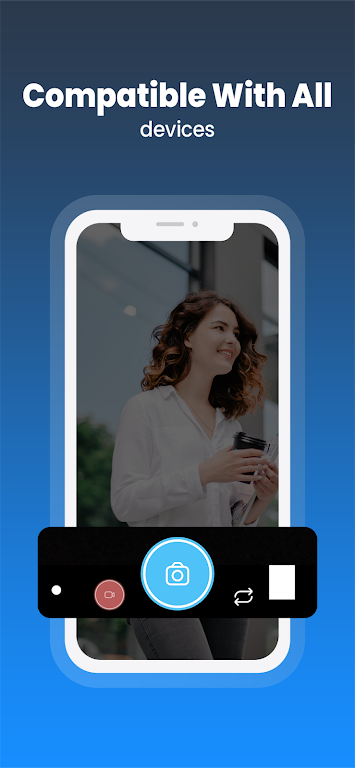
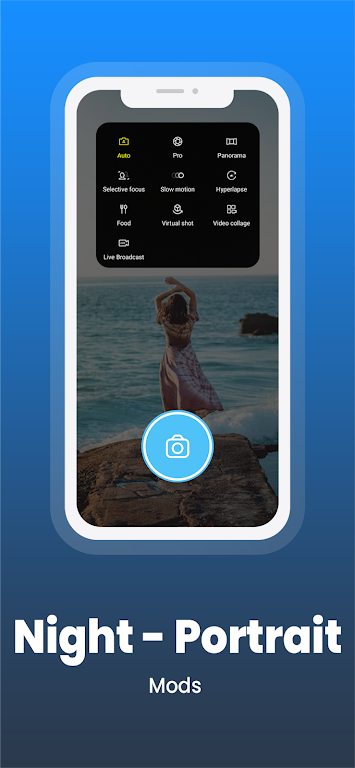
The interface in GCamera is designed to minimize distraction while giving quick access to important settings. A collapsible control rail keeps manual adjustments within thumb reach, letting you change exposure without toggling menus. Quick-access buttons let you switch between photo, video, and timelapse modes, while customizable gestures speed up common tasks like toggling flash or switching lenses.
Whether you prefer editing on-device or exporting for desktop work, GCamera supports several output formats to match your workflow. Shoot in JPEG for immediate sharing, or choose DNG to retain maximum detail and dynamic range. The built-in processing pipeline applies sensible sharpening and noise reduction for JPEGs, while RAW files remain untouched so editors like Lightroom or Snapseed can take over.
Beyond basic capture, GCamera includes creative modes that expand possibilities without overcomplicating the interface. Night mode extends exposure and uses multi-frame stacking to reduce noise. Portrait mode applies depth estimation to simulate studio-like bokeh. For motion subjects, a dedicated shutter-priority and burst mode helps you freeze fast action or capture a sequence for selection later.
GCamera is optimized for a wide range of Android hardware. The app detects supported camera APIs and adjusts available features accordingly, so devices with Camera2 or CameraX support unlock advanced controls like RAW and manual focus. Performance is tuned to reduce lag: the preview remains smooth during adjustments, and background processing of images prevents UI freezes on most modern devices.
Small tweaks in GCamera can yield noticeable improvements. Use the histogram and exposure compensation to avoid blown highlights. When shooting low light, enable night stacking and keep the phone steady or use a tripod. For portraits, choose a longer focal length if your device supports multiple lenses; this produces more flattering compression and background separation.
GCamera requires standard permissions to access the camera, microphone, and storage. The app prompts for permissions at first use and explains why each is needed. Be aware that extended use of features like long-exposure night mode or continuous video recording increases battery drain and can warm the device; keeping background apps closed helps maintain performance.
Begin by granting camera and storage permissions, then take a few test shots in auto mode to get a feel for the basic interface. Switch to manual controls once comfortable with exposure and focus adjustments. Use RAW when you plan to edit, and keep JPEG for quick sharing. Regularly update the app to access new tuning improvements and compatibility fixes.
GCamera balances advanced photographic controls with a user-friendly layout, making it a solid choice for photographers who want more control than the stock camera app while keeping quick access for spontaneous moments. Try its modes and tools to find a setup that fits your shooting style, and use RAW capture when detail preservation matters most.