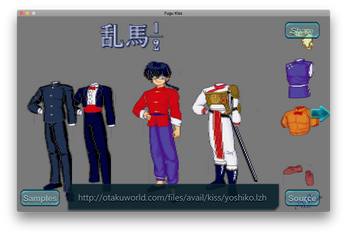
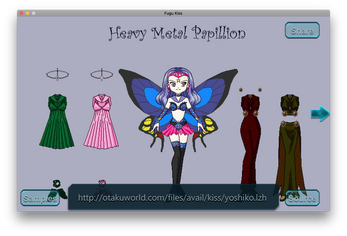
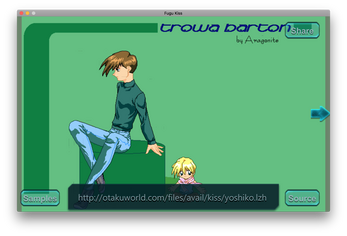
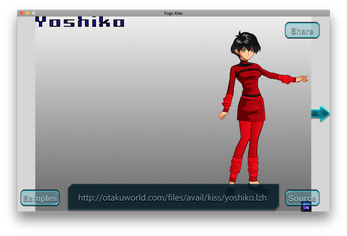
Fugu KiSS is an experimental Unity-based title that runs a KiSS scene player as an interactive demo, presenting pixel-art demoscene content inside a game-like interface. Fugu KiSS places the KiSS scene format at the center of the experience, focusing on how sprites, palettes and simple scene logic behave when rendered and interacted with in real time rather than on traditional level-based progression.
The core of the application is a KiSS player implemented directly inside the Unity engine. Users can load and explore individual KiSS scenes, watch animated frame chains, and observe how elements overlap and transform during playback. The interface and all visual output are produced through Unity's GUI system, which keeps the look and interaction consistent across devices and makes it straightforward to toggle presentation options without leaving the player.
Fugu KiSS intentionally presents itself as a technical showcase rather than a full-scale commercial game. It emphasizes rendering mechanics, pixel-level fidelity, and the demoscene approach to scene composition. Rather than offering scoring or linear challenges, the demo invites curiosity-driven interaction: pause, scrub through frames, toggle visibility layers, and study how scene components respond to input and timing cues.
Gameplay in this title is exploratory by design. There are no traditional levels or win conditions; instead, progression comes from discovering scene behaviors and experimenting with playback parameters. Players advance their understanding of each scene by manipulating playback speed, stepping frame-by-frame, and activating interactive elements embedded in certain KiSS files. The experience is best described as hands-on visual study with playful interactivity, where discovery replaces formal objectives.
The interface is optimized for both touch and hardware inputs where available. Basic controls include play, pause, step forward/back, and scrub through the timeline with a slider. Zoom and pan controls let users inspect pixels and sprite relationships at different scales, while simple toggles allow hiding or showing sprite layers, palette overlays, and hit areas. The GUI follows predictable patterns that make it easy for players and developers to learn how to manipulate scenes quickly.
Rather than a level structure, the title organizes content as a collection of discrete KiSS scenes. Users progress by exploring more scenes and replaying them under different settings. Some scenes are crafted to reveal subtle timing or collision behaviors when replayed at slower speeds, giving a sense of discovery without adding artificial challenges. Saved presets let you return to a particular configuration for study or comparison.
Visually, the demo stays true to pixel-art demoscene aesthetics: indexed palettes, sprite banks, and palette-cycling effects are presented faithfully within Unity's rendering. The GUI is intentionally minimal so the scene content remains the focal point. Options for adjusting brightness, contrast, and scaling help reproduce the look of older hardware or to emphasize particular rendering behaviors for closer inspection.
Customization focuses on viewing and playback rather than character or equipment systems. Users can adjust playback rate, enable or disable layers, modify zoom levels and screen aspect, and save viewing presets. These settings are designed to support repeated study and to offer a small degree of personalization without creating unrelated gameplay systems that would change the demo's experimental intent.
Replay value is rooted in technical curiosity: revisiting scenes at different speeds, comparing how different palette choices affect perception, and experimenting with layer visibility can reveal previously unseen interactions. For developers and students of rendering, the app functions as a compact reference for how KiSS scenes are composed and how a Unity GUI can present them in an interactive context.
The project runs locally and does not require an online connection for playback, making it suitable for offline study and demonstration. Accessibility options include adjustable UI scaling for readability on small screens and support for common input schemes so users can operate the demo comfortably on phones, tablets, or desktop builds. Documentation within the demo explains controls and the intended experimental scope to help new users jump in quickly.
Because Fugu KiSS is an experimental, commissioned demo, it intentionally omits extended progression, deep feature sets, or built-in multiplayer. Advanced player features, exhaustive documentation, and long-term content updates are not part of the core scope. The project is best suited for enthusiasts of retro scene formats, developers curious about rendering pipelines, and anyone who appreciates compact technical demonstrations over mainstream commercial design.
The title was produced as a compact technical showcase commissioned by Next Digital. That origin explains the demo's focus on craftsmanship and experimental presentation rather than on broad consumer features. The build provides a self-contained environment for exploring KiSS scene behavior and stands as a practical example of combining demoscene formats with Unity-based interfaces.