Pixel Art: Color by Number is a relaxing mobile coloring experience that turns detailed images into satisfying, numbered canvases. This app combines simple tap-to-fill mechanics with thousands of designs, letting casual users and creative players finish vibrant illustrations with minimal effort in short sessions.
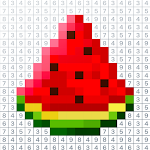
Pixel Art: Color by Number streamlines pixel-based coloring into an accessible format. Players receive grids where each cell corresponds to a color index. By following the numbers, users reveal portraits, landscapes, icons, and thematic sets. The interface emphasizes clarity: numbers are visible, palettes are limited per image, and progress is saved automatically.
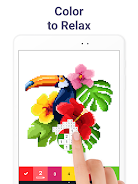
The central loop in Pixel Art: Color by Number is deliberate and simple: choose an image, reference the palette, and fill all numbered cells until the picture is complete. As you progress, completed images can be saved to a gallery or exported as finished art. There's no time pressure, which makes it a low-stress pastime suitable for commuting or short breaks.
Beyond the basic fill mechanic, the app provides several practical tools to make finishing images faster. An auto-fill option colors entire clusters of the same number. Hints reveal a group of cells when you’re stuck. A color-blind mode adjusts contrast and symbol overlays to make identification easier. For players who prefer a streamlined experience, batch downloads of themed packs reduce setup time.
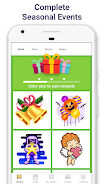
Performance is polished across a wide range of devices. Animations are lightweight but satisfying: pixels snap into place with a subtle effect, and completed areas fade into the final image smoothly. Menus are organized logically, and recent choices appear quickly. Ads are present in the free tier but do not interrupt the coloring action; a premium option removes them and unlocks additional packs.
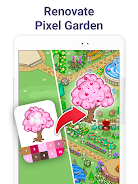
Although the core mechanic is color-by-number, the app includes progression systems for motivated users. Earning currency through completed images unlocks special palettes and higher-resolution packs. Customization options allow players to set background music or mute sounds entirely. Some premium packs offer higher detail and larger grids for users seeking a challenge.
Players appreciate the meditative quality of completing images by simple steps. The app works as both a quick distraction and a focused activity. Color satisfaction—watching a blank grid transform into a polished picture—creates clear, bite-sized wins. Community feedback highlights the steady flow of new images and the ease of sharing completed works.
Installation is straightforward from standard app marketplaces. The initial download includes several free images to try immediately. Permissions are minimal, typically limited to storage access for saving exports. If you prefer an uninterrupted experience, consider a one-time upgrade to the ad-free tier, which also bundles exclusive content.
Pixel Art: Color by Number balances simplicity and depth. Whether you want short, relaxing sessions or the occasional detailed project, the app provides a reliable, visually pleasing coloring experience that fits most play styles.