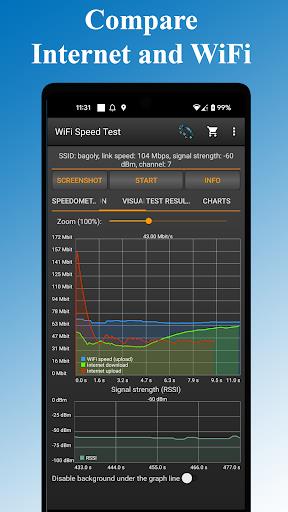
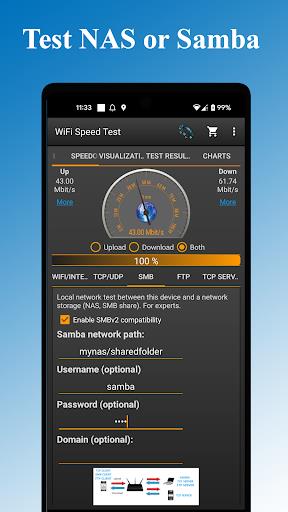
Is your internet connection driving you crazy with slow speeds? Say goodbye to buffering and lag with the WiFi - Internet Speed Test app. Optimize your network, troubleshoot issues, and test both wireless and wired connections with ease. Save past results, share your speed tests, and even check the speed of your router or FTP server. This user-friendly app also displays IP address, network information, and more. With support for tethering and hotspot connections, you can ensure lightning-fast speeds wherever you go. Improve your internet experience today with this powerful tool.
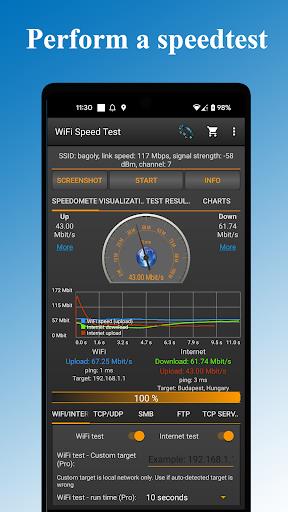
Comprehensive Speed Testing: The App allows you to test the speed of both your wireless and wired networks, including the router speed test. This ensures that you have a complete picture of your network performance.
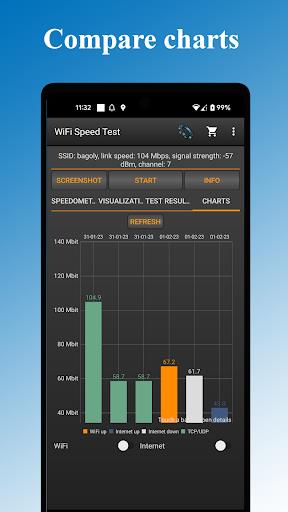
Save and Compare Results: You can save your test results automatically and compare them over time to track any improvements or declines in your network speed. This feature helps you to monitor and optimize your network performance.
Detailed Network Information: The App displays essential network information such as IP address, latency, signal strength, and channel information. This information can help you diagnose any network issues and make necessary adjustments.
Versatile Speed Testing Options: You can test the speed of various network components, including Windows share, FTP server, and even test via TCP or UDP. This versatility allows you to pinpoint specific areas that may be causing network slowdowns.
Test Different Components: Experiment with testing different network components to identify any bottlenecks or issues. This can help you prioritize areas for improvement and optimize your network speed.
Share Results Easily: Utilize the easy sharing feature to show your test results to tech support or friends for assistance. This can help you troubleshoot any network problems more effectively.
Monitor Your Network Regularly: Make it a habit to test your network speed regularly to catch any gradual declines in performance. This proactive approach can help you address issues before they escalate.
With the WiFi - Internet Speed Test App, you can take control of your network performance and ensure that you are getting the speeds you need. By utilizing the variety of features and playing tips provided, you can troubleshoot any issues, optimize your network, and say goodbye to slow internet speeds for good. Download the App now and experience lightning-fast speeds on your devices.