
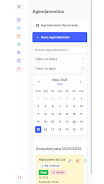
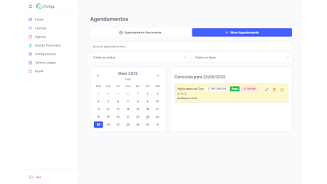
Clicapp is a lightweight business management app built for self-employed professionals and small service providers who need a single place to organize appointments, customers and basic finances. Clicapp helps you centralize scheduling with a smart calendar, keep payment status visible and issue receipts, and automate message reminders so you miss fewer bookings and reduce manual follow-up. The introduction experience walks new users through adding services, creating a first client and booking the initial appointment so you can be operational in minutes.
The calendar is the core: day, week and month views let you scan availability at a glance while color-coded entries and status flags show confirmed, pending and paid appointments. Appointment entries store service details, duration, staff or resource notes and custom tags so you can filter by client or service history. Recurring bookings and quick-copy controls streamline repeated schedules without rebuilding each session from scratch.
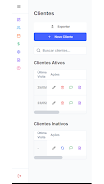
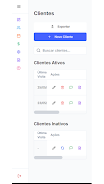
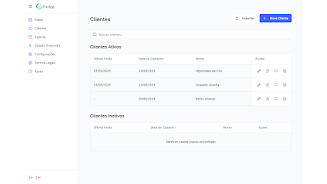
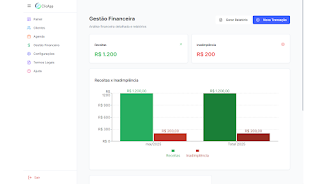
Customer management stores profiles, contact details, past services and communication history in one place. You can attach notes about preferences, mark clients active or inactive and pull up a client’s service history before an appointment. Payment tracking is designed for bookkeeping rather than payment processing: mark invoices or sessions as paid or unpaid, generate simple receipt documents and keep a running record of revenue by date, client or service type.
Automated reminders and confirmation messages reduce no-shows: templates are editable so you can tailor the wording and timing, and the app records when messages were sent. A central dashboard aggregates daily highlights, upcoming appointments, recent payments and quick metrics so you have an immediate pulse on business activity every time you open the app.
The interface favors direct touch controls and simple gestures typical on Android devices: tap to open details, long-press to edit or move an appointment and drag to adjust times in the calendar view. Forms for adding clients and services are compact and focused, minimizing required fields so setup is fast; more detailed fields are optional and available as your records grow. Templates for common services and reminder texts shorten repetitive tasks, and in-app help explains each screen during the first few uses.
Progression is practical rather than gamified: you build value by adding services, expanding your client list and letting the app collect real performance data over weeks and months. Revenue reports and visual metrics evolve with your usage so the more you record, the more useful the insights become. That natural progression helps small operators refine pricing, identify busy periods and optimize scheduling without a steep learning curve.
Clicapp presents a clean, utilitarian visual design with clear typography, neutral color palettes and contrast between appointment types to reduce visual clutter. You can adjust basic presentation through templates, choose which dashboard widgets are visible and label services in a way that matches your business terminology. The app respects Android system accessibility settings such as larger font sizes and high-contrast modes to support different visual needs.
Reports use simple charts and lists focused on actionable information—revenue by period, top services and upcoming due payments—so you can export or transcribe figures for accounting. The interface avoids unnecessary animations, keeping interactions fast on a range of devices and making day-to-day use more efficient for busy schedules.
Data is stored in the cloud with automatic synchronization and secure backups to protect your information, but several features rely on connectivity for full functionality. Basic calendar viewing and previously cached customer records remain accessible offline for quick reference; automated messages and real-time sync of edits require an internet connection. User credentials and backups are protected with common security practices, and the app gives you control over account settings and data export options.
Not designed for large enterprises, the app is tailored to individual professionals and small teams with straightforward workflows rather than complex multi-location operations. If your business needs advanced enterprise integrations, multi-user role management at scale or in-depth accounting automation, those scenarios exceed the intended scope and may require complementary tools.
Clicapp is well-suited to sole traders, freelancers, independent therapists, tutors, stylists and small service providers who want a compact, reliable tool to manage bookings, client records and simple financial tracking without a heavy learning curve. It favors practicality: quick setup, clear controls and a dashboard that summarizes what matters each day so you can spend more time delivering services and less time on administration.