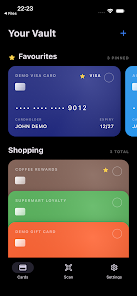
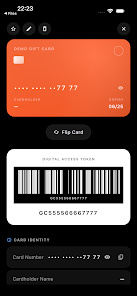
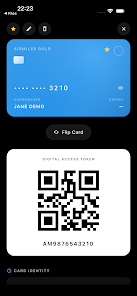
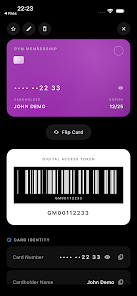
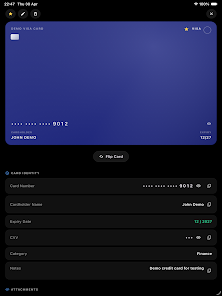
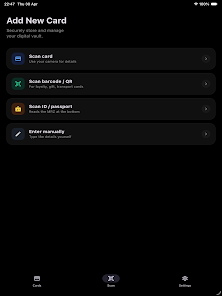
CardVault: Card Manager is a privacy-first, offline card and ID organizer designed to replace a bulky wallet and keep sensitive information under your control. The app encrypts everything locally using AES-256 with SQLCipher and uses device-backed key management so cards, IDs, loyalty and gift cards, transport passes and scanned documents remain on your phone rather than in the cloud. CardVault: Card Manager opens with a simple vault interface where biometric unlock or a secure PIN gets you straight to your stored items without any account creation or background analytics.
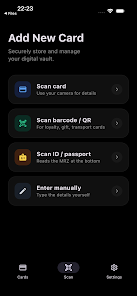
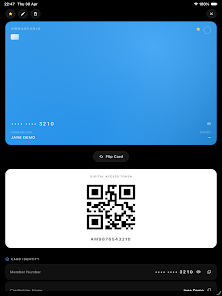
The interface focuses on practical controls and clear organization: tap to open a card, long-press to reveal quick actions, drag to reorder items within a category, and use the built-in search to find a card by name, number fragment, or custom label. Camera-based scanning supports OCR for payment cards and MRZ for passports and IDs, while barcode and QR capture let you digitize loyalty cards and transport passes quickly. Images can also be imported from your gallery and attached to an entry so that physical receipts or documents remain available alongside structured card data.
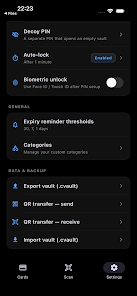
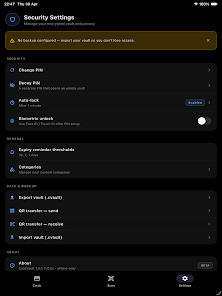
Strong local encryption and secure key handling form the core of the app. Every database entry is encrypted on-device with AES-256 and SQLCipher; you can export an encrypted backup protected by a passphrase, or perform a direct device-to-device transfer through secure, offline QR exchange. There is no automatic cloud sync — this design reduces exposure and keeps control in your hands. For convenience, biometric unlock is supported so you can access the vault quickly while maintaining strong protection.
Security options include a decoy vault option accessed with a separate PIN for plausible deniability, configurable auto-lock timeouts to limit exposure when your phone is unattended, and checks for rooted or jailbroken environments that warn you if the device may be at higher risk. The app also offers secure deletion routines so that once an entry is removed, leftover data is minimized according to best practices.
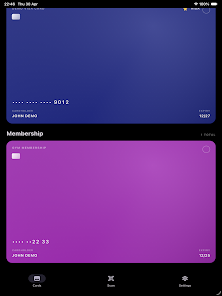
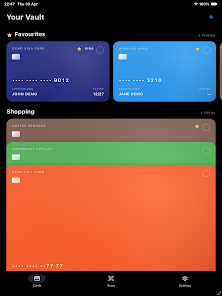
CardVault: Card Manager helps you build an organized collection over time rather than a single static dump of images. Use categories, custom labels and optional tags to group payment cards, IDs, memberships and transport passes. As you add items the app creates a searchable index and thumbnail previews so finding the right card becomes faster with everyday use. Periodic prompts remind you to create encrypted backups after significant additions so your recovery options grow as your vault matures.
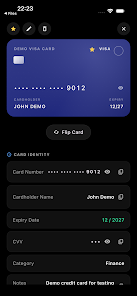
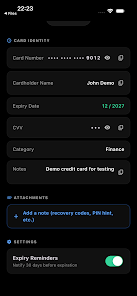
The app’s controls are designed for quick, one-handed operation: a clean list view for browsing, a detail pane for full card information, and contextual actions for editing, exporting, or sharing encrypted data. Accessibility considerations include adjustable font scaling and compatibility with Android’s TalkBack screen reader to make the app practical for visually impaired users. Adjustable contrast and compact layouts are available for smaller screens, and touch targets have been sized to reduce accidental taps.
Visually the app uses a minimal, utilitarian design that prioritizes legibility and fast scanning of information. You can choose between a light or dark theme to match system appearance, and configure how much metadata appears on thumbnails so the vault feels personal and uncluttered. Custom labels and color tags let you quickly differentiate between family cards, business items, or transit passes at a glance.
Offline-first design means CardVault: Card Manager works without network access and stores everything locally. Encrypted backups can be exported to your chosen secure storage or transferred directly via encrypted QR codes to a new device. The export process requires a passphrase you create, and importing an encrypted backup on another device restores entries while maintaining local-only storage. There are no accounts or servers handling your data.
Because there is no cloud synchronization, multi-device continuity requires manual export and import; users who need automated cross-device sync should plan for that limitation. Scanning features require camera and photo access and may not be suitable for users who prefer not to grant those permissions. The app is currently in open beta, which means feature refinement is ongoing and occasional bugs or interface changes are possible; feedback channels are provided within the app to report issues and suggest improvements.
CardVault: Card Manager is aimed at users who want a practical, secure replacement for a physical wallet without surrendering their data to external services. Its balance of strong encryption, thoughtful organization tools, accessible controls and offline convenience makes it a useful everyday utility for keeping cards and documents under your control.