BrushByte Odyssey is a mobile web app designed to help artists organize, plan, and track creative projects from first idea through to a finished piece. BrushByte Odyssey collects project metadata, palette choices, reference images and progress notes in one responsive interface so you spend less time searching for materials and more time creating. The app runs in a browser on phones and tablets, supports offline editing, and syncs your changes automatically when a connection is available.
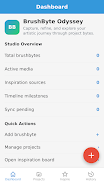
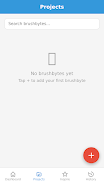
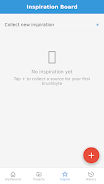
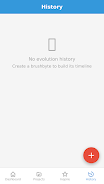
The Dashboard gives a concise project snapshot with quick actions to open, resume, or archive work in progress. In Projects you can record titles, status, creation dates, media and palette colors, and attach inspiration sources. An Inspiration Board stores reference photos and links; you can tag and annotate each item so references are easy to find later. The History view and interactive timeline visualize how a project has evolved and which milestones were reached over time, helping you reflect on progress between sketches, studies and final pieces.
BrushByte Odyssey uses straightforward touch-first controls and familiar form-based entry to keep the learning curve low. Creating a project requires only a few fields and can be expanded with optional tags and color swatches. Reference images can be added from the device camera roll or saved web links; once inside the app you can tap to view, pinch to zoom and drag to reorder board items or timeline markers. Quick actions on the Dashboard let you jump to a project, open its inspiration items, or start a new entry with a single tap.
The app frames creative work as a progression of stages rather than rigid levels. You can mark checkpoints, add status tags such as concept, in progress, review and complete, and attach short notes that describe what changed at each stage. Timelines and the History view show those checkpoints alongside dates and brief annotations, offering a simple progression system that is useful for planning series, managing commissions, or tracking development across multiple studies.
Project pages include a palette field where you can record primary and accent colors as swatches for easy reference when painting or composing. The interface emphasizes readability and distraction-free layout with a neutral background and a single accent color to keep focus on content. Text fields and labels are intentionally clear and concise so metadata is quick to scan, and projects can be organized with user-defined tags to match your preferred workflow, whether by medium, client, or theme.
BrushByte Odyssey was built for artists who work on the go: offline project editing is supported so you can add notes, images and palette updates without an active connection. Locally saved changes are stored until the device reconnects, at which point the app performs automatic synchronization. That model minimizes disruption when traveling or working in locations with intermittent connectivity. Keep in mind that offline changes need to reconnect to the internet to be uploaded to other devices.
The app favors large touch targets, clear labels and a predictable navigation structure to improve usability for a wide range of users. Because it runs in modern mobile browsers it adapts to different screen sizes and input methods, and basic keyboard navigation works on devices that support it. The focus is on efficient project management rather than detailed image manipulation, so the interface stays uncluttered and responsive even on older hardware.
BrushByte Odyssey is focused on project organization, research and progress tracking rather than serving as an in-app painting or advanced image-editing tool. If you need full-featured painting or photo retouching you should use a dedicated art app alongside this tool. Also, while the sync is automatic when you return online, any edits made offline will remain local until the next connection.
Whether you are a sketchbook-driven illustrator, a painter managing multiple commissions, or a hobbyist collecting visual inspiration, BrushByte Odyssey streamlines the non-creative overhead of keeping projects organized. By centralizing metadata, palettes and references and by making progress visible through timelines and history, it helps you maintain a clearer workflow and spend more time on the parts of art-making you enjoy.