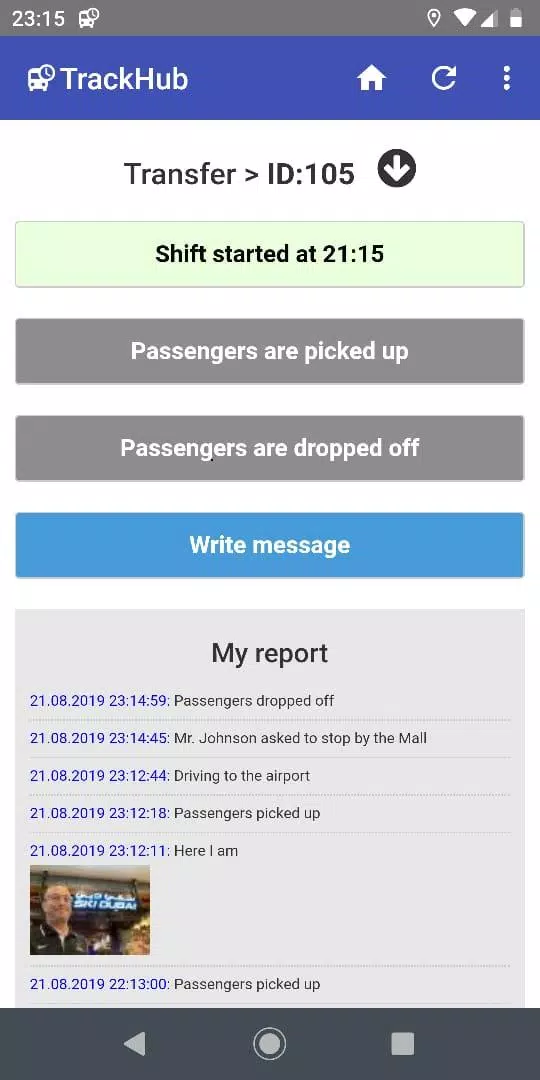
TrackHub puts centralized fleet oversight in the palm of your hand. TrackHub is an Android app designed for clients and vendors working with The Transport Hub to monitor vehicles in real time, produce instant dispatch reports and manage drivers, staff and assets from one consolidated interface. Whether you are supervising a handful of vans or coordinating a multi-site logistics operation, TrackHub gives clear visibility into movements, structured task workflows and the practical controls teams need to respond faster and reduce overhead.
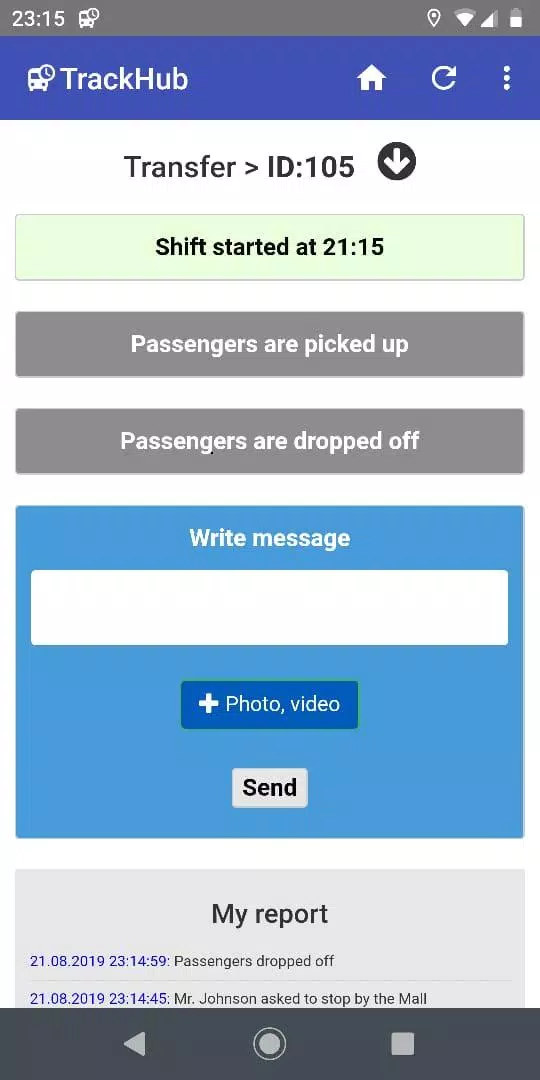
The app provides a live map view showing the current positions of every vehicle with smooth pan and zoom controls and simple filtering by vehicle group, status or assigned task. Real-time tracking is paired with movement history playback so dispatchers can review routes and stops for any interval. Instant reporting tools let you generate location logs, stop summaries and ETA reports that can be shared with dispatch staff; reports are customizable so teams can focus on the data relevant to their operation. Task assignment is quick and direct: create a job in the dashboard, attach notes or addresses, and assign it to a driver using a tap-driven interface; progress updates appear in the central feed so managers can reassign or escalate tasks as needed.
TrackHub supports role-based access so organizations can control who sees what information. New users can be onboarded with basic monitoring permissions while supervisors and managers receive extended controls for assignment and reporting. Organizations can model their level structure inside the app by creating vehicle groups, geographic zones or route buckets that reflect real-world regions and responsibilities. Customization options include naming conventions for vehicles and drivers, alert thresholds for late arrivals, and saved report templates that accelerate daily workflows. Over time these settings create a predictable progression from day-to-day monitoring to disciplined exception management.
The interface balances dense operational data with clarity: map layers, color-coded statuses and a compact task feed help dispatchers scan the situation at a glance while tapping into details when required. Visual design favors high-contrast elements and clear typography to improve legibility on different screen sizes. TrackHub includes accessibility considerations such as adjustable text sizes, clear focus order for screen readers and visual indicators that do not rely solely on color. Gestures and controls are optimized for touch: tap to inspect, swipe to acknowledge updates and dedicated buttons for creating or assigning tasks keep common actions one interaction away.
Recognizing that connectivity can be intermittent in the field, TrackHub caches recent events locally on the device and synchronizes automatically when a reliable connection is restored. This ensures that drivers can submit status updates and managers can continue limited oversight without losing critical data. The app is designed to minimize bandwidth for routine updates while preserving the fidelity of location traces for playback and reporting. For administrators, synchronization logs and delivery confirmations make it easier to audit when updates were recorded and applied.
TrackHub increases operational consistency by turning repeated daily tasks into measurable workflows. The ability to replay historical movements provides practical replay value for training, post-incident review and continuous improvement discussions. Challenge systems in the app are functional rather than game-like: configurable exception alerts, overdue-task notifications and KPI-oriented reports surface the most urgent problems so teams can prioritize work and close loops faster. These features support accountability and incremental improvements rather than competitive scoring.
Designed for organizations tied to The Transport Hub ecosystem, TrackHub fits common logistics roles such as dispatch centers, vendor fleets and on-the-road drivers. Typical use cases include last-mile delivery coordination, scheduled run monitoring and ad hoc task dispatch during peak periods. The app works on Android devices with a modern operating system and is suitable for small operators and enterprise teams that need an all-in-one mobile dispatcher and fleet monitor.
TrackHub improves coordination between dispatch, drivers and managers through live status updates and a single dashboard for assignment and reporting. It reduces inefficiencies by making delays visible and simplifying adjustments, and its role-based controls and customizable reports scale from small teams to larger operations. The main limitation is that TrackHub is primarily built for clients and vendors of The Transport Hub; organizations that operate entirely outside that ecosystem may find integration and some platform-specific workflows less relevant to their current tools.