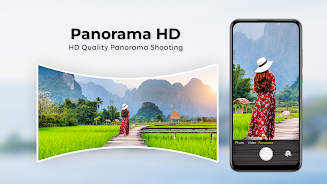

HD Camera for Android delivers a clean, powerful camera experience that brings manual controls, high-resolution capture and real-time filters to your phone. Designed for photography enthusiasts and casual shooters alike, it simplifies advanced settings while enabling crisp photos, steady video and quick sharing, all in a lightweight interface.
HD Camera for Android packages essential imaging tools into an approachable layout. Core features include support for multiple resolutions, on-screen histogram, exposure compensation, white balance presets and a variety of aspect ratios. A built-in timer and burst mode make group shots and action sequences easy, while adjustable focus and ISO values let you fine-tune images when lighting conditions demand it.
The app prioritizes speed and clarity. Primary controls are reachable with a single tap and contextual options slide into view when needed. A simple mode exposes automatic settings for quick snapshots, while an expert view exposes RAW capture, manual shutter speed and focus peaking. The layout reduces clutter so you can frame and shoot faster, and a persistent preview helps you confirm exposure before you press the shutter.
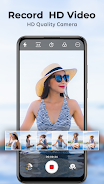
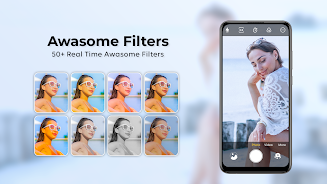
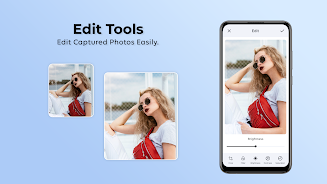
HD Camera for Android offers tools for both stills and motion. Video recording supports multiple frame rates and bitrates to match social posts or longer clips. Timelapse and slow motion modes add creative flexibility, and a live filter preview allows you to test color tones without post-processing. Basic editing — crop, rotate, and color adjustments — is included so you can polish shots without leaving the app.
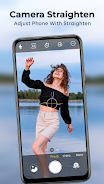
For photographers who want more control, manual exposure, shutter priority and aperture simulation are available. The app exposes histograms and zebra stripes to monitor highlights and shadows, and an on-screen level helps keep horizons straight. Users can save custom presets for recurring scenarios like night scenes, indoor events or product photos, speeding up repeatable workflows.
HD Camera for Android is optimized to run smoothly on a wide range of devices. Memory-efficient processing helps reduce lag when capturing high-resolution images or long video clips. The app adapts to various camera hardware, enabling features such as optical image stabilization or multi-lens switching when the phone supports them. Regular updates improve compatibility with newer Android releases and camera modules.
Sharing is built into the workflow. After capture you can export images in multiple formats and sizes, or share directly to social networks and messaging apps. Cloud backup options help protect important photos, and file naming templates let you keep a consistent organization system. Quick export presets streamline sending images to collaborators or uploading to galleries.
Customization keeps the app adaptable to different users. Interface themes, button placement and gesture toggles let you personalize the camera to suit left- or right-handed operation. Accessibility features such as larger UI elements, high-contrast mode and voice prompts ensure the app is usable in a variety of situations and for people with differing needs.
Start by exploring automatic and expert modes to discover the controls you rely on. Create presets for common scenarios and test different resolutions to balance image quality and file size. Use the histogram and level tools to reduce corrections later, and experiment with timelapse or slow motion to expand your creative options.
HD Camera for Android strikes a balance between advanced capability and everyday convenience, making it a solid choice for users who want more control than a stock camera app without unnecessary complexity. With configurable tools, reliable performance and straightforward sharing, it helps you capture better photos and video right from your phone.