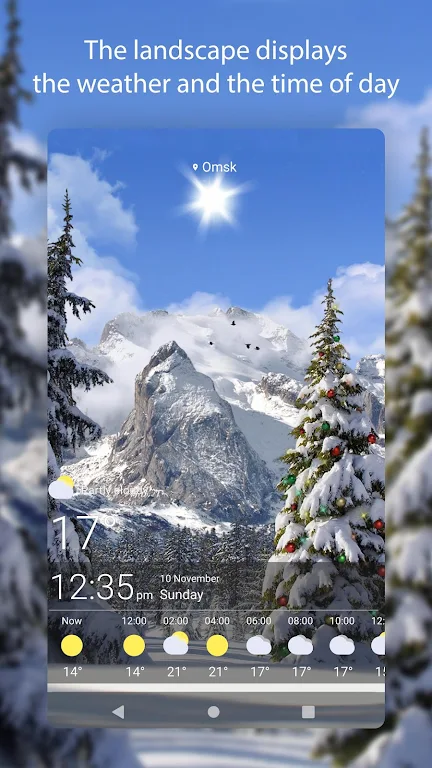
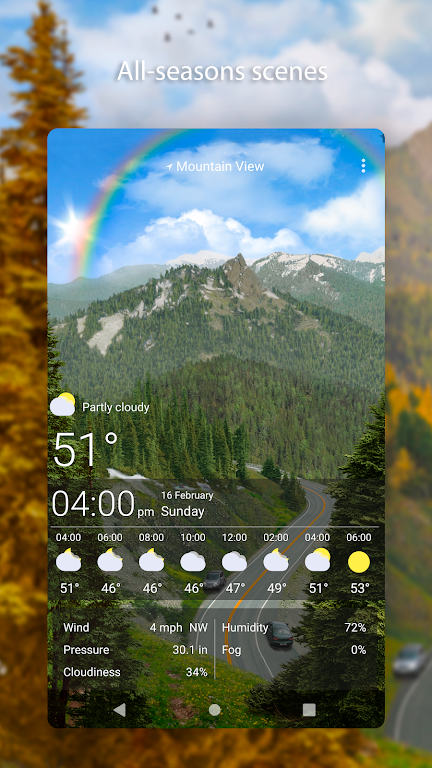
Weather Live Wallpapers transforms your Android home screen into a dynamic weather display with stunning animated backgrounds and real-time conditions. The app delivers accurate forecasts, smooth transitions between weather states, and a variety of scenic live wallpapers that reflect current temperature, precipitation and time of day.
Weather Live Wallpapers focuses on combining practical weather information with visual appeal. Designed for users who want more than static icons, the app replaces a traditional wallpaper with scenes that evolve as conditions change. Expect clear visual cues for rain, snow, fog and sunshine, all while maintaining battery-friendly animation settings.
The app uses location permissions to retrieve accurate local weather from trusted services. Once configured, Weather Live Wallpapers maps the returned data to visual themes: temperature influences color tones, precipitation triggers animated effects, and wind alters motion intensity. Users can choose automatic location detection or set fixed cities for travel planning.
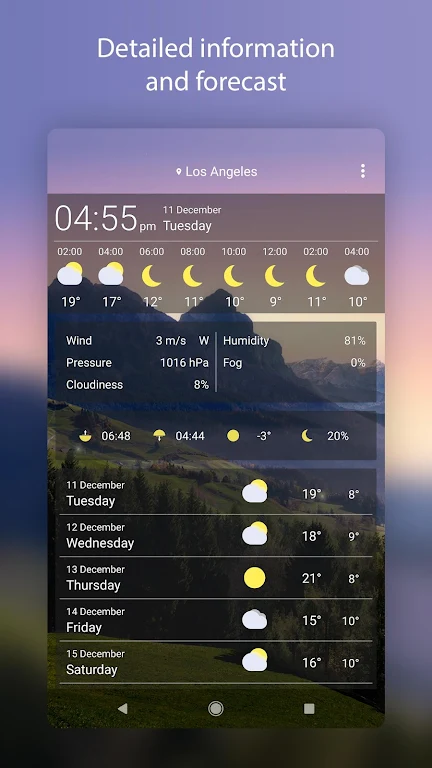
Customization is a key strength. Choose from a library of scenes, adjust effect intensity, and toggle overlays that display temperature, humidity and forecast snippets. For users who prefer minimalism, the app provides clean designs with discreet numeric readouts. If you like more dramatic displays, increase particle effects and enable ambient sound for added immersion.
Animated wallpapers can strain resources, but Weather Live Wallpapers includes several optimizations. Animations are throttled when the device is idle or in battery saver mode. Background updates can be limited to certain intervals, and the app supports low-motion presets for older phones. On modern devices the impact is modest; however, power-conscious users should test settings to find the best balance.
The interface follows a simple, card-based layout. Setting a wallpaper takes only a few taps: pick a scene, configure display options and apply. Preview mode shows exactly how the home screen will look. The settings menu groups options into visual effects, data sources and performance, making it straightforward to fine-tune behavior without diving into complex menus.
Weather Live Wallpapers also supports scheduling, so you can enable vivid scenes during the day and switch to subdued themes at night. This helps reduce distraction and keeps the home screen fresh without manual changes.
Many users appreciate the blend of utility and aesthetics. The app turns an ordinary wallpaper into an informative dashboard, making it easy to see at a glance whether you need an umbrella or sunglasses. It’s particularly useful for commuters, travelers and anyone who enjoys a more engaging home screen.
Installation is straightforward from the Play Store. After granting required permissions, explore the theme gallery and apply a preset to begin. If you want finer control, dive into display options and data settings to personalize how Weather Live Wallpapers reports conditions and looks on your device.