TalkIt! is a smart voice utility that converts speech to text, enables hands-free commands, and organizes spoken notes into searchable files. It blends fast recognition with offline support and privacy controls, making it practical for meetings, learning languages, and everyday multitasking on Android devices.
TalkIt! provides a streamlined toolkit for turning natural speech into actionable content. It focuses on accurate transcription, quick command execution, and simple management of voice recordings. Rather than bloated menus, the app presents a tightly focused workflow where voice input becomes the central means of creating and retrieving information.
The core strength of TalkIt! is its speech recognition pipeline. Audio is captured with adjustable sensitivity to reduce background noise. The engine then applies punctuation and capitalization rules to produce clean transcripts you can edit immediately. For multilingual users, language packs and quick-switch controls let you alternate recognition models on the fly.
TalkIt! fits into daily routines by connecting to common productivity tools. Export options include plain text, Markdown, and CSV for spreadsheets. You can share transcriptions directly to email or cloud storage, or paste them into note-taking apps. Built-in reminders and calendar hooks let spoken items become scheduled tasks without typing.
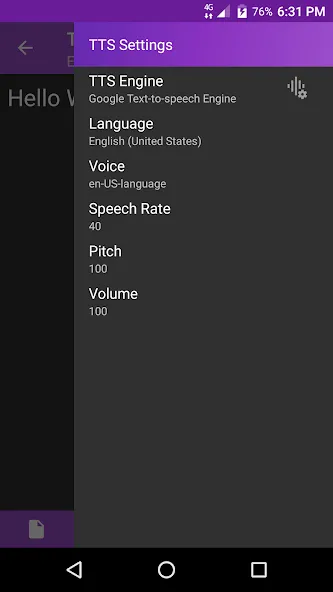
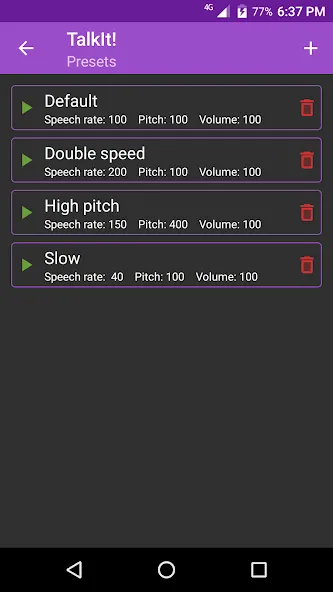
Customization is an important part of TalkIt!'s appeal. The settings allow you to tune sensitivity, choose preferred languages, and define voice commands for frequently used actions. You can also configure automatic archiving rules so older sessions are compressed or stored in a particular folder, keeping your workspace uncluttered.
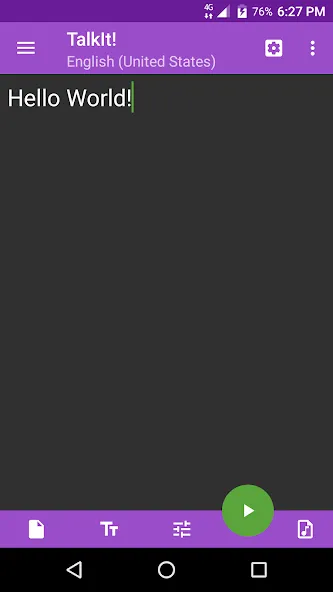
The user interface emphasizes clarity and speed. Large, accessible controls ensure recording starts and stops reliably, while real-time waveform views help monitor audio quality. Performance is optimized for low battery drain and modest CPU use, making TalkIt! suitable for extended meeting coverage or fieldwork where charging opportunities are limited.
Privacy is addressed through optional on-device processing and an explicit permission model. If you prefer local-only transcription, TalkIt! can disable cloud syncing and keep files encrypted on your device. The app provides clear indicators when data is being uploaded, and granular controls over what gets shared with external services.
Professionals who attend frequent meetings, students taking lecture notes, and language learners practicing pronunciation will find TalkIt! particularly useful. It also serves as a handy tool for journalists conducting interviews or for anyone who prefers speaking to typing during busy days.
Getting started with TalkIt! is straightforward: install, grant permissions, pick your language pack, and record. In minutes you can have searchable spoken notes and an automated workflow that replaces manual typing. Frequent updates refine recognition models and add integrations, so the app keeps improving with use.
For anyone who needs reliable voice-to-text conversion combined with practical productivity features, TalkIt! offers a focused, privacy-aware solution. Its balance of offline capabilities, export flexibility, and user controls makes it a solid option for Android users aiming to capture ideas quickly and efficiently.