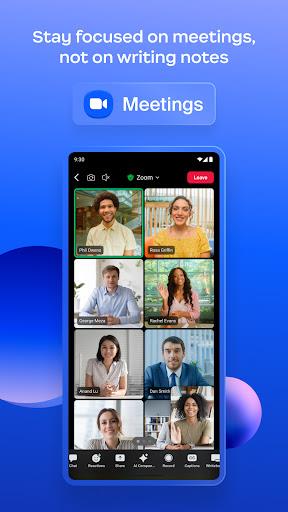
Waiting for a delayed train and needing to join a last-minute conference call? ZOOM Cloud Meetings puts a familiar set of meeting tools on your Android device so you can connect quickly, share content, and keep conversations moving even when time or space is limited. This app bundles video calls, chat, scheduling and basic collaboration features in one place, with options that suit single presenters and small teams alike. The mobile interface focuses on fast joining, clear audio/video controls, and tools like recording and simple whiteboarding to help meetings stay productive from anywhere.
Install and sign in: Download the app, sign in with your account or join as a guest. The setup walks you through camera and mic permissions so basic calls work straight away.
Schedule or join: Use the built-in calendar or a meeting link to enter sessions; one-tap joining reduces friction when you need to hop into a call quickly.
Adjust basics: Before you join, check audio routing and camera selection. Switching between front and rear cameras or muting the mic is immediate from the meeting toolbar.
High-quality audio and video: Meetings support HD streams and include simple controls for muting, camera on/off, and switching devices during a call.
Screen sharing with sound: Share your screen or an app window, including system audio when you need to present slides or play a video clip to others.
Team Chat and channels: Persistent chat offers basic formatting, file attachments, and emoji reactions so conversations can continue alongside live meetings.
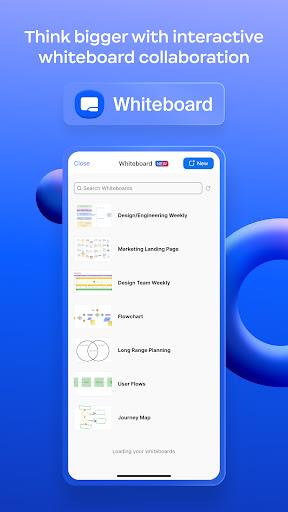
Docs, Whiteboard and device handoff: Built-in collaborative spaces let participants sketch ideas or store notes, and device handoff makes it easier to move a call between phone and tablet.
AI Companion and recordings: Optional AI features can summarize meetings for you, while local or cloud recording preserves sessions for later review (cloud storage limits apply by plan).
Use audio-only in low signal: If video is choppy on mobile, switch to audio-only to keep the conversation stable and reduce data use.
Share specific apps not your whole screen: When presenting from a phone, choose an individual app where possible to avoid exposing unrelated notifications or content.
Record important sessions: Start a recording for critical meetings so you can revisit decisions and share clips with teammates who couldn’t attend.
Practical scenarios: Use the app to host a quick creative review while out of the office or to run a short tutoring session during an evening break; both are common, real-world uses that fit the feature set.
ZOOM Cloud Meetings is a dependable mobile hub for calls, chat, and light collaboration, making it easy to connect when you're on the move or away from a desktop. It handles essential meeting tasks quickly and keeps controls within reach, though long free sessions are limited and older phones may struggle with high-resolution video. If you need a compact, feature-rich meeting tool for both casual and professional use, this app covers most bases while leaving room to upgrade for extended cloud storage and advanced admin controls.