
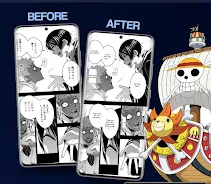
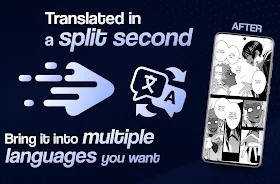
Manga Translator is a mobile app that converts scanned or photographed manga panels into readable translations, preserving layout and context. It combines OCR, machine translation, and customizable glossaries to help readers enjoy manga in multiple languages quickly and accurately, with tools for batch translation and manual correction.
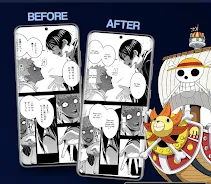
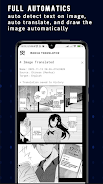
Manga Translator extracts text from images, identifies speech bubbles and captions, and produces translated text that fits the original artwork. The app supports multiple input methods—camera capture, photo import, and PDF processing—so you can translate single pages or entire volumes without switching tools. Outputs are designed to be easy to edit and export for personal reading.
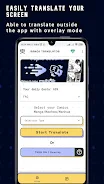
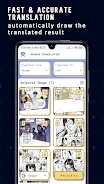
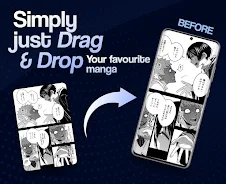
Start by importing pages or taking a photo. Manga Translator automatically detects text regions and runs the OCR engine. After recognition, the app proposes a translated draft which you can refine using the in-app editor. Use the glossary to override machine choices or to enforce character names and recurring terms. When edits are complete, export the final pages or compile them into a shareable PDF.
The interface focuses on speed and clarity. Panels are presented in a clean, zoomable viewer with easy access to translation controls. Touch gestures let you select bubbles, drag text boxes, and toggle between original and translated views. A sidebar offers quick toggles for language pairs, OCR sensitivity, and export settings—helpful for users managing many pages.
Manga Translator balances automated translation speed with manual control. Machine translation covers common grammar and idioms, while custom glossaries and phrase memory improve consistency. Users can set preferred translations for recurring words and create project-specific dictionaries. The app also provides confidence scores for recognized text so you can prioritize corrections where the OCR or translation is less certain.
Designed for modern Android devices, the app processes images locally with optional cloud acceleration for large batches. Local processing preserves privacy while cloud mode speeds up heavy jobs. Manga Translator supports common image formats and PDFs and adapts to different screen sizes for phones and tablets. Performance scales with device hardware; fast processors and ample RAM improve batch translation throughput.
The app emphasizes user control over content. Local OCR and translation keep pages on your device unless you opt for cloud acceleration. Project files, glossaries, and edited overlays are stored in a private folder and can be exported or deleted at any time. If cloud services are used, files are transmitted securely and removed after processing according to the app’s retention policy.
Install the app, grant camera and storage permissions, and import a sample page to test detection settings. Try a short chapter with cloud acceleration to see translation speed, then switch to local mode for sensitive material. Manga Translator’s tutorial and sample glossary provide a fast on-ramp for building a personal translation workflow.
Manga Translator removes many manual steps from translating illustrated text, helping fans, translators, and hobbyists convert manga into readable, editable translations. The combination of OCR precision, editable output, and glossary tools makes it practical for short projects and longer collections. Regular updates refine language models and expand compatibility to new file types.