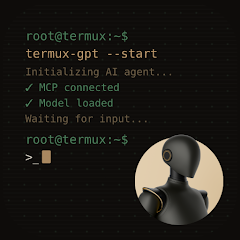


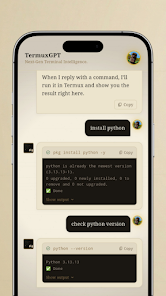
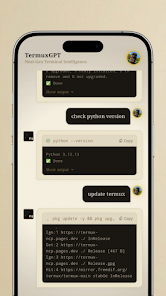
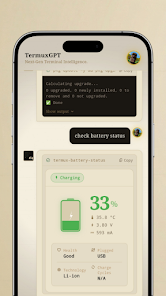
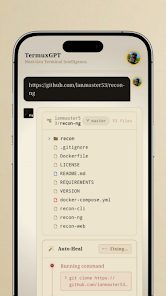
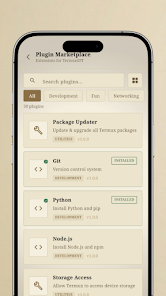
TermuxGPT brings a conversational AI directly into your Android terminal environment, blending command-line convenience with powerful language model responses. Designed for developers and power users, the app integrates GPT-style assistants into Termux workflows so you can prototype, automate, and get context-aware help without leaving the shell.
TermuxGPT provides a compact set of tools to query language models from the terminal, manage API credentials, and embed AI into scripts. The interface emphasizes keyboard-driven interaction and minimal overhead, enabling fast prompts, streamed replies, and basic session management while preserving the lightweight nature of Termux.
The app integrates with the familiar Termux prompt, so no graphical overlay is required. After a brief setup, TermuxGPT adds subcommands and flags to control verbosity, response format, and model selection where supported. Users interact using simple commands to craft prompts, run queries, and capture outputs to files or variables for further processing.
Installation focuses on minimal steps: install Termux from a trusted source, add the TermuxGPT package or script, and configure your API credentials. Once configured, a single command opens a conversational prompt. The onboarding process emphasizes secure storage of keys and offers examples for common tasks like code review, note summarization, and on-device testing.
TermuxGPT shines when embedded into existing developer routines. Use it to generate boilerplate code, draft commit messages, refactor snippets, or produce documentation. Because the tool works with standard input and output, you can pipe files, parse results with command-line utilities, or include AI responses as part of CI scripts executed on Android devices or remote hosts.
Designed to be lightweight, TermuxGPT avoids heavy graphical dependencies and relies on network calls to remote models. Performance depends largely on network latency and the chosen backend, while local resource usage remains small. The app targets modern Android releases supported by Termux and works well on phones and tablets with at least moderate CPU and memory.
TermuxGPT encourages responsible handling of sensitive information. API keys are stored with permission-aware methods to reduce exposure risk, and the app recommends reviewing prompt content before sending it to external services. For environments with strict privacy requirements, administrators can restrict which keys and models are used or operate through private endpoints where available.
Power users can tweak default parameters, create alias commands, and set up automated prompts triggered by file changes or scheduled tasks. Advanced examples include batch-processing text files, auto-generating unit tests from code comments, or using the assistant as an interactive REPL helper while exploring unfamiliar libraries.
TermuxGPT is ideal for developers, sysadmins, and technical users who prefer working in terminals and value fast, scriptable AI assistance. It removes the friction of switching between apps for quick questions, code snippets, or content generation, making routine tasks more efficient directly from your Android device.
Whether you want a quick code suggestion, a formatted summary, or a way to prototype AI-assisted automations on Android, TermuxGPT provides a terminal-first approach. Its small footprint and script-friendly design make it a practical addition to a mobile developer toolkit, especially for those who favor reproducible, keyboard-centric workflows.