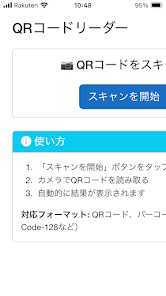
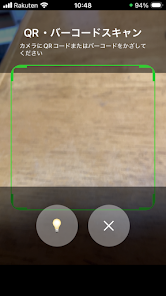
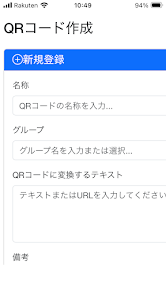
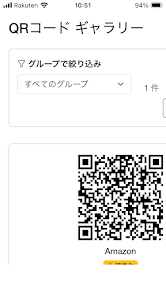
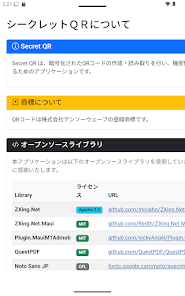
SercretQR is a compact QR code utility that encrypts, stores, and shares scanned data securely. Designed for privacy-focused users and small businesses, SercretQR offers quick code generation, password protection, and offline storage, enabling convenient transfers without exposing sensitive information or relying on external cloud services.
SercretQR bundles a set of practical tools for everyday QR interactions. Generate codes for URLs, contact details, Wi-Fi credentials, or small text snippets. Apply AES-based encryption to any generated or scanned code and add optional passphrases. The app supports batch generation, customizable visual templates, and export in common image formats for printing or embedding.
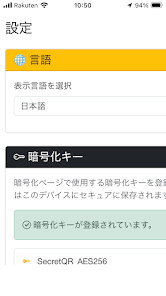
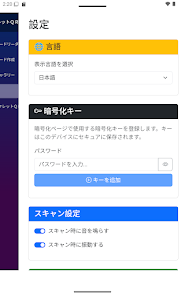
Security is central to the SercretQR design. Codes can be encrypted locally before sharing so only recipients with the correct passphrase can decode the content. Encrypted payloads remain readable only inside the app or by compatible decoders. Local-only storage options let you keep sensitive codes on-device without syncing to third-party servers, and biometric unlocking is available for added protection on supported devices.
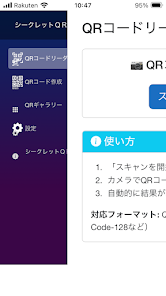
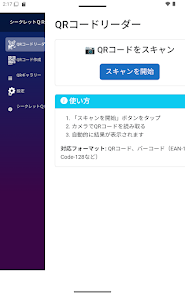
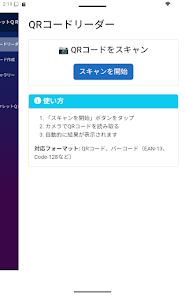
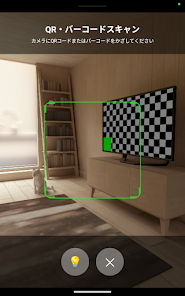
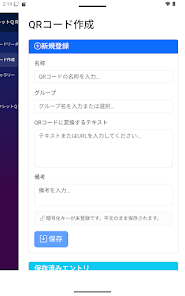
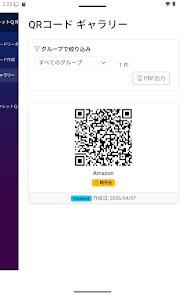
The interface emphasizes speed and clarity. A single screen presents generation and scanning functions side by side, with an accessible history panel for recent codes. Templates let you select color schemes, logos, and error-correction levels. Creating a code requires just a few taps: pick a type, enter content, choose encryption and appearance, then save or share. Scanning opens a compact preview and decrypt option if appropriate.
SercretQR performs well on modern Android devices, with optimized scanning that makes use of camera autofocus and real-time decoding. Code generation is processed locally and is quick even when applying encryption or branding. The app supports a wide range of Android versions, and file exports are compatible with common image viewers and printing tools. Background tasks are minimized to preserve battery life.
For users who need more control, SercretQR includes options for setting QR error correction levels, embedding logos, and adjusting size and margin values for print-ready results. Developers can export codes in scalable vector formats in supported builds, and the app offers simple import/export of encrypted vaults to move data between devices.
Getting started with SercretQR is straightforward. After installation, grant camera permissions to enable scanning. Run the quick setup to select a security mode (simple PIN, biometric, or passphrase). Use the built-in tutorial to create your first encrypted QR and test scanning with another device. The history view provides a safe place to revisit and manage previously generated codes.
Regular updates improve scanning accuracy, add template options, and expand compatibility with new Android releases. The app includes an in-app help section that covers encryption choices, export formats, and troubleshooting common camera issues. For technical questions, a feedback channel inside the app gathers user reports to guide future improvements.
SercretQR aims to provide a private, practical toolkit for anyone who needs to create or share QR codes without exposing sensitive content. Its combination of on-device encryption, flexible exporting, and a streamlined workflow makes it a useful utility for both personal and small business scenarios.