
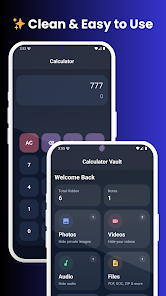
Calculator Hide - Vault Photos is a discreet privacy tool that disguises your private gallery behind a functional calculator interface. It mimics a regular calculator app while providing encrypted storage, secure access, and simple organization, so users keep sensitive images and files out of sight and under their control.
Calculator Hide - Vault Photos blends utility and concealment. On the surface it behaves like an ordinary calculator, but an inner vault protects photos, videos, and documents. The dual nature reduces accidental discovery while offering encryption and recovery options designed for everyday users who want straightforward privacy without technical complexity.
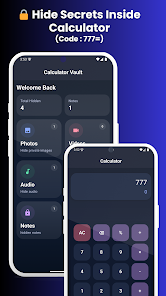
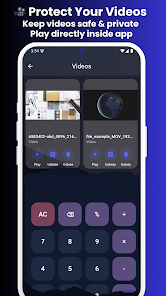
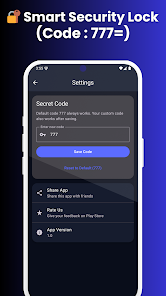
After installation, you set a PIN that doubles as the calculator input. Type the PIN and press the equals key to open the vault. The app intercepts media import requests so you can move items into the secure area. Files are then removed from the system gallery and kept accessible only through the app’s authenticated session.
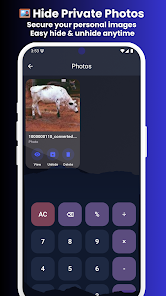
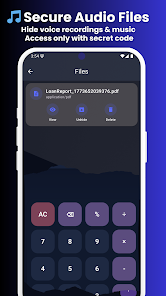
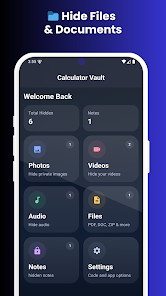
The interface prioritizes familiarity: a clean calculator face for public use and a minimal, gallery-style layout for private content. Performance is snappy on modern devices, with thumbnail previews and basic editing like cropping or rotating. Importing multiple files is straightforward, and built-in sorting makes retrieval fast.
Security centers on encryption and access obfuscation. Encrypted storage protects files at rest, while the calculator disguise reduces suspicion from casual observers. Additional options may include decoy PINs and automatic lockouts after repeated failed attempts. These layers make Calculator Hide - Vault Photos suitable for users prioritizing low-effort privacy solutions.
Users can personalize the visible calculator appearance with themes and button layouts. Inside the vault, folders, tags, and smart sorting let you arrange items logically. Some versions support multiple vaults or hidden subfolders for separating work-related files from personal media.
The app is optimized for a broad range of Android devices, balancing encryption overhead with responsive browsing. Battery impact is minimal when the vault is idle; heavy use during large imports or backups will cause noticeable CPU activity. Compatibility notes are rare, but it’s wise to test cloud sync and backup features with your preferred provider before relying on them fully.
If you want a low-visibility way to protect private photos and documents on a shared device, Calculator Hide - Vault Photos provides an accessible solution. It’s particularly useful for people who prefer an impenetrable-looking front-end combined with straightforward file management and recovery options.
The mix of concealment and practical tools makes this vault app a solid choice when privacy matters but technical overhead should be minimal. Its calculator disguise is the standout feature, and the balance between usability and protection makes it a practical pick for everyday privacy needs.