


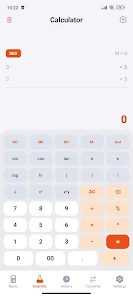
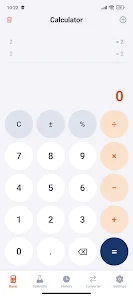
Calc EN is a compact, feature-rich calculator designed for Android devices that blends a clear interface with advanced computation tools. It supports basic arithmetic, scientific functions, unit conversions, and programmable constants, all presented in an accessible layout that speeds up everyday calculations and technical workflows.
At its heart, Calc EN offers a versatile toolkit for quick math and deeper analysis. Standard operations, percentage and memory keys are combined with scientific capabilities such as trigonometric functions, logarithms, factorials and complex number support. A built-in unit converter handles length, mass, volume, temperature and currency conversions, while a constants library provides one-tap access to frequently used values.
The interface in Calc EN favors clarity and efficiency. Buttons are arranged to minimize mis-taps and the display adapts to long expressions so you can review formulas before submitting them. Themes include light and dark modes to match ambient lighting, and font size options help accessibility. The app also includes a split-view mode for tablets, letting users view history and results side-by-side.
Calc EN is built to improve your calculation workflow. The expression editor allows editing of any part of a entered formula, reducing retyping when a single term changes. Results can be copied to clipboard or shared via other apps. A persistent history log stores recent calculations and supports pinning important entries for quick recall during extended sessions.
Beyond basic tasks, Calc EN includes programmable features for power users. Users can define custom functions and save variable sets for repeated use in engineering or finance tasks. Precision settings let you select significant digits or decimal places, and a batch mode processes multiple values using a single formula. For students and professionals, step-by-step evaluation reveals intermediate results to help verify work.
Designed for speed, Calc EN runs smoothly on a wide range of Android devices, from budget phones to high-end tablets. Calculations execute quickly with minimal battery impact. The app is optimized for offline use so core features remain available without network access; online features, such as live currency rates, update only when connected to conserve data.
Customization options let you tailor Calc EN to personal preferences. Rearrangeable keypads, custom color schemes and shortcut gestures speed frequent operations. The constants library can be extended with user-defined entries, and common formulas can be saved as templates. These choices help users create a focused toolset that matches their tasks, whether balancing a budget or solving physics problems.
Calc EN treats user data with care. Local history and custom definitions are stored on-device and can be backed up manually. The app does not require unnecessary permissions; optional features like cloud sync or export prompt clear consent and use secure transfer methods. This approach keeps sensitive calculations private while enabling portability when needed.
Getting started with Calc EN is straightforward. Open the app to access the default calculator screen and try a few expressions to see how the editor and history behave. Explore the settings menu to enable dark mode, adjust precision, or add custom functions. For newcomers, the help section outlines key functions and provides quick tips to speed up common tasks.
Calc EN strikes a balance between simplicity and power, making it a useful daily driver for students, professionals and anyone who values accurate, fast calculations on Android. With flexible options and sensible defaults, it adapts to a wide range of numeric tasks while staying lightweight and responsive.