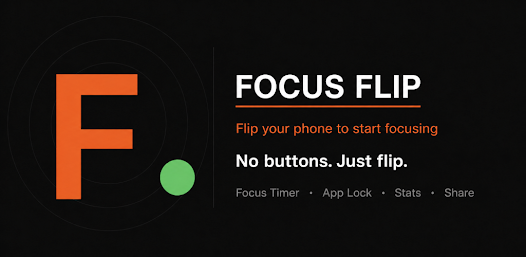
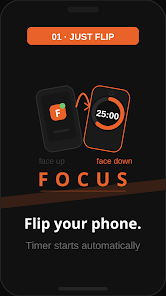
Focus Flip: Study & Work Timer is a minimalist productivity timer that helps users build focused work sessions and balanced breaks with configurable intervals, visual progress, and gentle reminders. Designed for students and professionals, it simplifies time management so you stay on task and avoid burnout during study or office routines.
Focus Flip: Study & Work Timer delivers a clear, distraction-free approach to time management. Rather than complex task lists or heavy analytics, the app centers on reliable session timing, subtle notifications, and a clean interface. It’s aimed at people who want to increase concentration with simple, repeatable cycles.
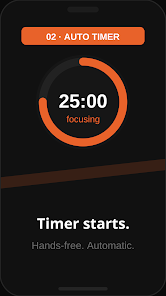
Using Focus Flip: Study & Work Timer is straightforward. Start a session with one tap, then work until the timer ends. When a break begins, the app steps back with a subtle notification, allowing you to relax without being jolted. Long and short break cycles can be chained so your work rhythm mirrors popular productivity techniques without forcing a rigid schedule.
The settings panel groups the most useful controls: session length, short and long break durations, auto-start next session, and notification style. Advanced options include a quick-restart button, an ability to skip a break, and haptic feedback customization. These tools let you tailor the app to study blocks, coding sprints, or office tasks.
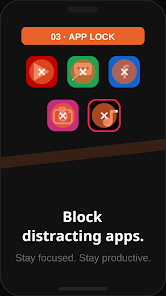
Focus Flip supports light personalization so the timer adapts to individual habits. Adjust the default session time, change color themes to suit low-light or bright workspaces, and select focus modes that limit background alerts. Presets can be saved for different contexts — for example, a 'Study' preset and a 'Deep Work' preset for high-concentration tasks.
The design favors clarity: large numbers, a single central control, and accessible start/pause functions. Performance is optimized to avoid battery drain during long runs. Animations are subtle to conserve resources, and background operation remains reliable even when switching apps or locking the screen.
Focus Flip: Study & Work Timer integrates easily into study routines, remote workdays, and time-boxed planning. It encourages short, repeatable cycles which are proven to reduce procrastination and increase output. Students often use it to structure homework sessions, while professionals apply it to tackle email, focused writing, or coding blocks.
Many users prefer Focus Flip because it strips away unnecessary complexity while preserving essential controls. The app’s balanced approach helps maintain consistent focus without micromanaging your work. With a short learning curve and dependable behavior, it becomes a quiet productivity companion rather than another app to manage.
Download and open the app, grant optional notification permissions, and set your preferred session and break lengths. Create one or two presets to switch quickly between study and work modes. With the initial setup complete, rely on the timer to guide your day and refine settings as you learn what session lengths keep you most productive.