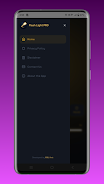
Flashlight - Torch & Modes provides a fast, reliable pocket light with multiple illumination styles for everyday use. The app turns your device into a powerful LED torch, offering adjustable brightness, strobe and SOS modes, plus convenient widgets for one-tap access in emergencies or low-light situations.
Flashlight - Torch & Modes bundles essential lighting tools into a small, efficient interface. It includes a full-screen white light, camera-LED control, adjustable intensity, strobe effects, and an SOS signal generator. The app also supports home screen widgets and a quick notification toggle so you can activate the torch without opening menus.
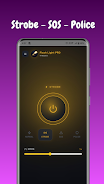
The app separates light control into distinct modes to match specific needs. Use the camera LED for focused, long-distance light or the screen mode when you prefer even, constant illumination without engaging the hardware flash. Strobe and police-style flashing let you create attention-grabbing patterns, while SOS mode emits the internationally recognized distress signal in Morse code for emergencies.
Customization is straightforward: adjust brightness with a slider, choose strobe frequency from presets, and set whether the torch should remain active while the screen is locked. You can also customize widget size and quick-access placement so the flashlight appears on your home screen or in the notification shade exactly where you need it.
Using the camera LED consumes more power than screen-based illumination. Flashlight - Torch & Modes includes a battery-friendly option that limits maximum brightness and automatically switches to a lower power profile after a configurable timeout. The app monitors device temperature and suggests cooldown when the LED runs for extended periods to preserve battery health and prevent overheating.
From finding a dropped earring in a dark room to lighting a campsite path, this tool is versatile. Mechanics and hobbyists can use the focused beam for close inspection, while commuters benefit from the rapid-access widget for late-night arrivals. The SOS and strobe functions are useful safety features for roadside assistance or alerting rescue teams when visibility is poor.
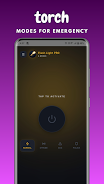
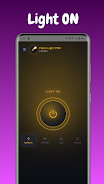
The user interface emphasizes clarity: large icons for each mode, a visible brightness indicator, and simple gestures to switch between camera LED and screen torch. First-time users can enable a brief tutorial overlay that explains each control. Settings are grouped logically with labels that help you tweak behavior without digging through complex menus.
Flashlight - Torch & Modes supports a wide range of Android versions and devices. It detects whether a camera flash is available and gracefully degrades to screen-based lighting on devices without an LED. The app also responds to system-level power-saving modes and adjusts functionality accordingly to maintain compatibility across manufacturers.
The app requests only essential permissions: camera access to control the hardware LED and permission to place widgets if you opt in. No unnecessary personal data is required for the flashlight to function, and settings explain why each permission is requested so you can make informed choices.
For everyday carry, enable the notification toggle so the app is just one swipe away. Photographers can pair the torch with manual camera settings for creative fill light, while outdoor enthusiasts should test strobe patterns before heading into remote areas. Regularly review battery usage stats to identify which mode consumes the most power on your device.
Flashlight - Torch & Modes balances straightforward operation with practical features, making it a dependable tool whether you need a quick burst of light or a configurable emergency signal. Its lightweight design, combined with useful customization and safety-minded defaults, helps ensure it’s ready when you need illumination most.