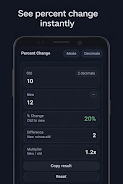
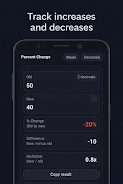
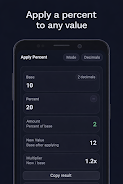
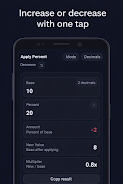
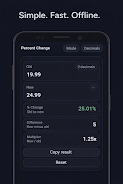
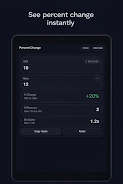
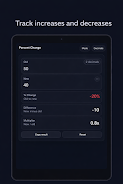
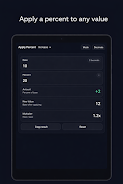
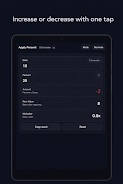
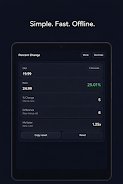
Quick Percent Calculator is a compact, easy-to-use utility that brings everyday percentage math to your fingertips. Quick Percent Calculator places percent-change, percent-of, and difference-and-multiplier calculations in a single, uncluttered screen so you can check discounts, markups, taxes, tips and budget figures in seconds. The app opens quickly, returns clean numeric results that are immediately copyable, and keeps everything local — no accounts and no data collection.
The core interface presents three related views together: percent change between two values (showing increase or decrease), percent-of calculations to apply or remove a percentage from any number, and a combined display of raw difference plus the multiplier that produced it. Inputs use your device’s standard numeric keypad and large touch targets so entries are fast and reliable. Decimal control lets you choose how many places to show for tidy output, and a one-tap copy control copies the current result to the clipboard for pasting into notes, messages or spreadsheets.
Quick Percent Calculator intentionally avoids complex menus so basic controls remain obvious: type a number, adjust the percent value or flip the add/subtract toggle, and the result updates immediately. The app responds to typed input and pasted numbers, with simple toggles for adding or subtracting a percentage and a clear button to reset fields. Visual feedback highlights which field is active, and undo is as simple as correcting the value you typed. These straightforward controls make the app useful for both quick checks at a shop and for classroom demonstrations.
The interface favors a distraction-free aesthetic: a dark, low-glare theme by default and clean typography for numeric clarity. Decimal precision is adjustable to suit differing needs, from whole-number price checks to financial figures that need cents or fractions. The compact layout fits small phones as well as larger tablets, and the contrast is chosen to keep numbers readable in varied lighting conditions without excess ornamentation.
Although Quick Percent Calculator is a practical tool rather than a game, it supports learning and repeated practice: students can use it to verify homework, sales staff can repeatedly test different discount scenarios, and anyone tracking budgets will return to it frequently because percentage tasks recur in everyday life. The app does not include gamified progression or levels; its value is in reliable, repeatable utility rather than reward systems.
Accessibility considerations focus on clarity and touch ease: large controls, high-contrast text, and predictable behavior make the calculator suitable for users with limited dexterity or visual sensitivity. Because it uses system-standard input methods and scales to the screen size, Quick Percent Calculator runs well on a wide range of Android devices and remains responsive on older hardware thanks to its lightweight design.
This utility works fully offline with no account required and no tracking or telemetry sent to servers. All calculations happen locally, which means you can work with sensitive numbers in secure environments without worrying about cloud backup or unintended data sharing. The choice to stay offline also keeps the app fast and small so it launches instantly when you need it.
Quick Percent Calculator is specialized: it focuses entirely on percentage-related tasks and is not a replacement for a full-featured scientific or financial calculator. There is no cloud history or synced backup of past calculations by design. For those needing broader mathematical functions or automatic record keeping, a different tool may be more appropriate. For quick checks, classroom demonstrations, price comparisons and budget adjustments, however, the app provides accurate, copyable results in seconds.
Quick Percent Calculator is ideal for shoppers checking sale prices, small-business owners verifying markups and taxes, servers calculating tips, teachers demonstrating percent problems, and students learning the mechanics of percentage change. The combination of immediate results, decimal control and one-tap copy makes routine percentage work faster and less error-prone, whether you use it dozens of times a day or only occasionally.