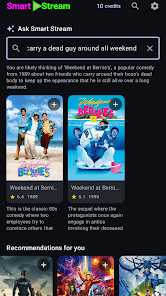
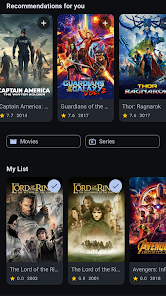
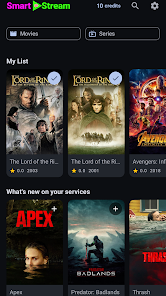
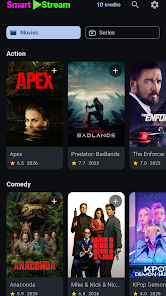
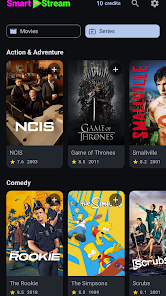

Smart Stream is a lightweight streaming manager that organizes live broadcasts, recorded content, and playlists into a single mobile hub. Designed for reliability and low-latency viewing, it combines intuitive controls with robust encoding preferences so users can watch, schedule, and share streams with minimal setup and clear playback.
At its heart, Smart Stream simplifies how you access video sources. Whether connecting to public streams, private channels, or local network devices, the app detects available inputs and converts them into easy-to-navigate tiles. Playlists are easy to create and reorder, while per-stream metadata (title, source, bitrate, tags) helps you find content quickly. Built-in recording captures and stores snippets for offline viewing without complex external tools.
The user interface emphasizes quick discovery and minimal friction. A three-panel layout lets you browse, preview, and control playback without jumping between screens. Tapping a tile opens a compact player with adaptive controls for subtitles, audio tracks, and picture-in-picture mode. Smart Stream supports gestures for swiping between channels, long-press to queue items, and drag-and-drop playlist creation, which streamlines daily use for both casual viewers and power users.
Advanced users will appreciate the flexible encoding and bandwidth controls. Choose between hardware-accelerated and software encoding, set target bitrates, and enable adaptive streaming to match fluctuating network conditions. Profiles allow you to save preferred settings for mobile data, Wi-Fi, or high-quality playback, and automatic switching ensures a smooth viewing experience when conditions change.
Performance is a priority, with Smart Stream optimized to keep CPU and battery usage low while maintaining smooth playback. Hardware decoding is used when available, and multi-core utilization helps with background tasks like recording and transcoding. Compatibility stretches across a wide range of Android devices; the app adapts resolution and buffer sizes depending on device capability and network performance to reduce stutter and dropped frames.
Setup is designed to be straightforward. After granting permissions for network access and storage, the onboarding wizard helps you add sources by scanning local networks, entering URLs, or connecting accounts. Smart Stream offers templates for common services so you can be streaming within minutes. New users should create a main playlist and enable auto-detection to keep incoming streams organized automatically.
To improve reliability, enable adaptive streaming and give the app background network permissions for scheduled recordings. Use the profile feature to switch between data-saving and high-quality modes depending on your connection. If you frequently watch the same channels, mark them as favorites to pin them to the top of your library. Regularly clear cache in the settings to reclaim storage after long recording sessions.
Smart Stream includes settings to manage access and protect your content. Encrypted connections are supported for authenticated feeds, and recorded files can be password-protected or saved directly to your chosen cloud provider. Permissions are limited to what the app needs, and local-only modes let you keep everything on your device if you prefer not to use cloud services.
Smart Stream balances usability with powerful tools that suit both casual viewers and professionals who handle multiple feeds. Its combination of adaptive playback, flexible encoding, and seamless integration with external services makes it a compelling choice for anyone who needs a dependable, feature-rich streaming manager on Android. Frequent updates improve device support and add new integrations as streaming standards evolve.