

Local Ai LLM puts a powerful language model on your Android device, offering fast, private natural language processing without a constant internet connection. It lets you run local inference for chat, summarization, and code assistance, combining offline speed with fine-grained controls for resource management and privacy.
Local Ai LLM brings flexible on-device AI tools to a mobile workflow. The interface is designed for quick access to common tasks while exposing advanced options for power users. You can load different model files, adjust compute settings, and run tasks like text completion, question answering, and document summarization directly on the handset.
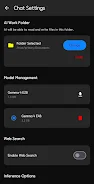
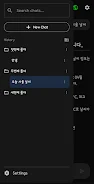
The app organizes capabilities into an approachable layout that balances simplicity and control. Users can choose model variants, tweak threading and memory allocation, and integrate with other apps through text share functions. Local Ai LLM supports running multiple sessions and saving chat histories locally so sensitive information never leaves your device.
At its core, the app loads lightweight versions of popular language models optimized for mobile. It uses quantization and optional hardware acceleration where supported to reduce memory and compute needs. Requests are processed locally: the app builds a context window from your prompt and runs the model to generate tokens, with live progress updates so you can monitor inference time.
Local Ai LLM is useful across many day-to-day tasks. Journalists can summarize interviews on the fly, students can generate study notes without exposing drafts online, and developers can prototype code completions while offline. The conversational mode helps with brainstorming and drafting, while the batch processing options let you run summaries or translations on multiple files in sequence.
Privacy is a priority: all processing occurs on-device unless you explicitly export results. Compatibility spans a wide range of Android devices, but performance depends on available RAM, CPU cores, and whether the device supports NNAPI or GPU delegates. For large models, the app recommends using smaller quantized variants or increasing swap space if the device allows it. Battery use is moderate during inference; the app provides power-saving profiles to limit background activity.
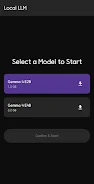
Installation is straightforward. After installing Local Ai LLM, grant the minimal permissions required for storage access if you plan to download model files. Choose a starter model suggested by the app based on your device specs, then load a sample prompt to verify operation. Tutorials and preset prompts help you explore common tasks without manual configuration.
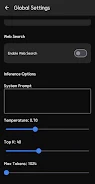
Small adjustments can improve output quality and speed. Use concise, explicit prompts to reduce unnecessary token usage, and set a sensible maximum response length. If responses are slow, try a lower-precision model or enable GPU acceleration where available. Save frequent prompts as templates to reuse them across sessions, and clear chat histories when switching contexts to avoid carrying over irrelevant context.
Local Ai LLM is a practical choice for anyone who wants capable AI tools without relying on cloud services. It balances usability and control, making it suitable for creative tasks, research, and technical work while keeping data local and responsive on modern Android devices.