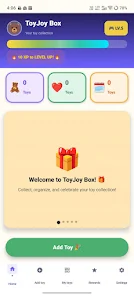
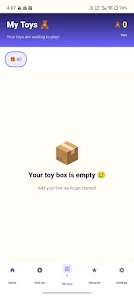


ToyJoy Box – My Toy Collection helps collectors catalog, organize, and showcase toys with quick scanning, high-resolution photos, and customizable categories. The app centralizes ownership records, tracks series and variants, and provides a clean visual gallery for easy browsing and sharing across devices.
ToyJoy Box – My Toy Collection acts as a digital cabinet for physical toys and collectibles. It lets you document individual items, attach images, note condition and provenance, and group pieces into sets or series. The emphasis is on simplicity: fast entry, clear visual browsing, and exportable lists for insurance or trading.
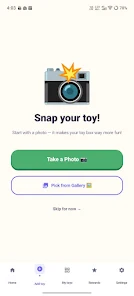
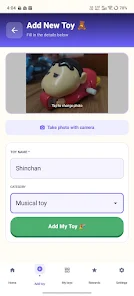
After installation, create a main collection to represent your overall inventory. Each entry is an item card with fields you can fill out: name, brand, variant, serial number, condition grade, and notes. Use the camera to capture multiple angles and the barcode scanner to auto-fill common metadata. Tags and categories allow you to slice the collection into meaningful subsets, like vintage lines, display-only items, or items for sale.
ToyJoy Box – My Toy Collection supports hierarchical organization so you can nest sub-collections within a parent collection. For example, create a parent folder for a franchise and subfolders for waves or seasons. The tagging system makes it easy to cross-reference items that belong to multiple contexts, such as character, colorway, or limited-release status.
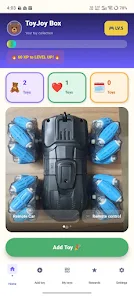
The app includes layout options to present your toys as grid galleries, list views, or detailed cards. You can choose which fields appear in quick views, set a default photo, and pin favorite items to the top of any view. When preparing a display or catalog, export selections to CSV or printable PDF formats so you can share a curated list with friends, buyers, or insurers.
Automatic cloud backup keeps your collection safe across devices and allows you to sync between phone and tablet. Export and import options support common file types for migration or archival. For collaborative collecting, create shareable links to specific collections or enable read-only access so others can browse without editing. Local backup is also available for offline protection.
Designed to run smoothly on a wide range of Android devices, ToyJoy Box – My Toy Collection focuses on responsive lists and quick image loading. Images are optimized to balance quality and storage usage. The app respects battery constraints, suspending intensive tasks when the device is low on power, and performs background syncs only on Wi-Fi if you prefer.
Begin by creating your main collection, then add a handful of items to learn the fields and photo workflow. Try the barcode scanner on new purchases and experiment with tags for quick grouping. If you plan to share or migrate data, perform an initial export to verify your settings.
ToyJoy Box – My Toy Collection balances straightforward documentation tools with flexible organization features, making it suitable for casual fans and serious collectors alike. It prioritizes fast entry, clear visuals, and reliable backups so your collection remains accessible and well-documented over time.