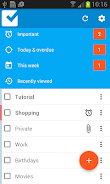
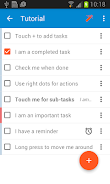
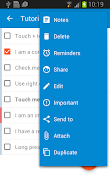
Checklist is a streamlined productivity app that helps you create, organize, and track tasks with minimal effort. It blends simple list management with smart scheduling, reminders, and collaborative features to keep daily routines and project workflows on track for individuals and small teams.
Designed for people who prefer clarity over clutter, Checklist focuses on delivering an efficient task workflow without overwhelming options. The interface centers on lists you can build in seconds, while background tools provide timing, prioritization, and search so you can spend less time managing tasks and more time completing them.
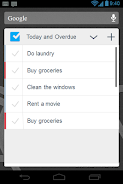
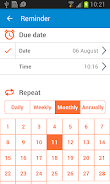
Checklist offers straightforward list creation, nested subtasks, and deadline tracking. Add items quickly, assign priorities, and set recurring patterns for chores or repeatable work. Notifications are configurable, and the app saves state across devices so your progress is preserved whether you switch phones or return to a paused list.
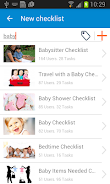
The workflow in Checklist is action-oriented: start with an inbox to capture ideas, sort items into projects or lists, and then schedule or tag them. The app encourages a short daily review where you move a few prioritized items into the day’s plan. That lightweight routine helps maintain momentum without turning planning into a full-time task.
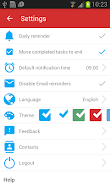
Although minimal by default, Checklist includes several personalization options. Choose themes to reduce eye strain, configure default reminder intervals, and create custom templates for recurring project types. Templates are especially useful for freelancers or managers who launch similar projects repeatedly and want a consistent starting point.
The interface favors readable typography and clear spacing. Animations are subtle and there are useful shortcuts for power users who prefer gesture controls. Performance remains snappy with large lists, and offline mode keeps everything accessible when connectivity is limited.
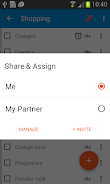
Checklist supports shared lists for small teams or household tasks. Shared lists include a basic permission model so contributors can add or complete items without altering list structure. Change history and simple comments keep communication tied to tasks rather than scattered across other platforms.
Checklist suits users who need a reliable, no-nonsense task manager. It’s ideal for students balancing assignments, professionals coordinating small projects, and anyone trying to build consistent habits. The app scales from single-person use to basic team collaboration without overwhelming nontechnical users.
Installation is straightforward: install the app, grant notification permissions, and import or begin a new list. Spend a few minutes setting up one or two templates and a tag structure, and you’ll notice improved clarity in daily planning within a week.
With an emphasis on speed and readable organization, Checklist helps reduce cognitive load and make task completion a predictable part of your routine. Regular reviews, thoughtful tagging, and the app’s simple collaboration features can transform scattered notes into a reliable workflow.