

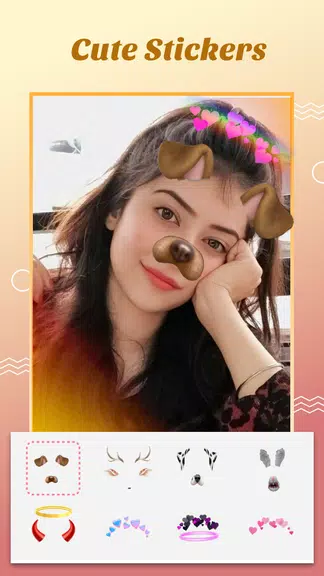
Crown Heart Photo Editor brings layered photo editing, creative filters, and quick retouch tools to mobile devices, balancing powerful features with an approachable interface. Designed for hobbyists and creators, Crown Heart Photo Editor streamlines common edits and supports subtle enhancements or bold stylistic changes in a compact, fast workflow.
Crown Heart Photo Editor is a mobile image-editing app focused on speed and clarity of tools. It combines a clean layout with a selection of pro-level adjustments, enabling users to correct exposure, remove blemishes, and apply coherent visual styles without digging through complex menus. The app targets users who want polished results without a steep learning curve.
Instead of overwhelming novices with technical jargon, the app groups functions by intent: fix, stylize, and share. That organization reduces friction when working on a series of images. The editing engine is optimized for mobile processors, so edits feel responsive even on midrange devices.
The interface is organized around a central canvas and a context-aware toolbar. Tap a tool to reveal sliders and quick toggles relevant to the selected adjustment. Edits are non-destructive by default; you can revert changes or disable individual adjustment layers. Real-time previews show how each change affects the final image, helping users make decisions faster.
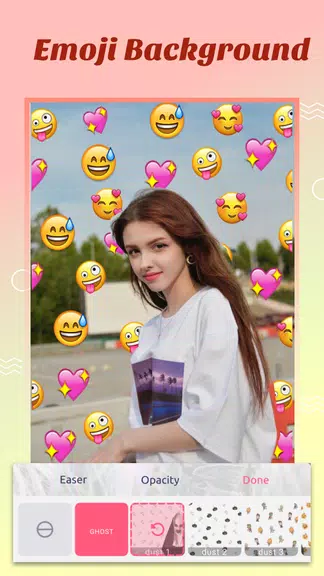
Tools are grouped to support common workflows: basic correction, selective edits, and creative finishing. Basic correction includes exposure, contrast, highlights, shadows, and noise reduction. Selective edits let you paint masks or use shape-based selection to isolate areas. For finishing touches, the app includes film-grain emulation, vignette, and selective color pop to guide the viewer's eye.
Local adjustments are handled with a brush or radial mask. Feather and opacity controls make transitions feel natural. These tools are particularly useful for portrait work—brightening eyes or evening skin tones—while preserving texture.
Crown Heart Photo Editor offers a library of presets designed for different photography styles: landscapes, urban, portrait, and moody tones. Presets are customizable and can be saved as user-defined recipes. That feature is handy for creators who want a consistent feed aesthetic without building every edit from scratch.
For users who manage multiple images, batch apply presets and export settings to save time. The batch tools respect aspect ratios and can queue exports in the background, freeing your device to handle other tasks.
The app emphasizes responsive controls and minimal animation to keep the UI snappy. Tools load quickly and previews render with minimal delay. Memory management prevents large edits from stalling on older hardware. The layout uses clear iconography and labels so new users can discover features through exploration rather than tutorials.
Gesture-based shortcuts speed up common actions—pinch to zoom, two-finger tap to undo—and contextual tips appear the first few times you use a more advanced tool. The design balances discoverability with a compact toolset for efficient editing sessions.
Download the app, allow access to your photos, and open an image to begin. The guided onboarding highlights essential tools and shows how to apply a preset or remove a blemish. Crown Heart Photo Editor is designed to get you editing quickly while still offering depth for more deliberate adjustments.