
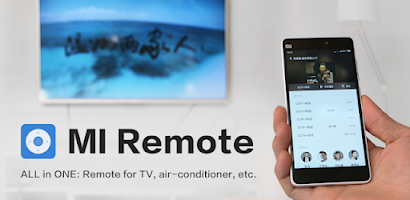
Mi Remote controller - for TV, is a compact Android utility that converts your phone into a multifunctional television remote. The app supports both traditional infrared control and network-based commands so you can manage TVs, set-top boxes and media players from a single interface. Designed for everyday use, Mi Remote controller - for TV, prioritizes straightforward controls, quick setup and reliable command delivery so you spend less time hunting for remotes and more time watching.
The app includes an IR emulation engine for phones with a built-in blaster and a network control mode for smart devices that expose APIs on the local Wi-Fi. Primary functions such as power, input selection, volume, navigation and playback are presented on a main screen to keep common tasks within quick reach. Secondary tools include a numeric keypad, channel picker and a sleep timer. Macros let you chain several actions into a single button, for example powering on a TV, switching input and launching a streaming app in one tap.
Communication adapts to the capabilities of your phone and the devices on your network. When an IR emitter is available the app sends standard codes compatible with a wide range of legacy hardware. For modern smart TVs and networked boxes the app uses local discovery over Wi-Fi and industry protocols where supported, handling authorization and pairing flows when necessary. This hybrid approach increases compatibility without requiring cloud access.
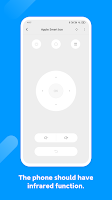
The interface balances large, tappable controls for living room use with configurable panels for less frequent commands. Primary and media controls sit together for thumb-friendly operation while advanced options are tucked into expandable sections. Haptic feedback and visual indicators confirm actions, and long-press actions can be assigned to frequently used buttons to reduce navigation steps. The app aims to make common workflows—changing volume, switching inputs, navigating app menus—fast and predictable.
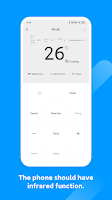
Customization is a standout area. You can build device profiles and room groupings, rearrange the button layout with a visual editor, and save custom macros to reflect how your physical remotes work. Theme options let you adjust contrast and button size for different viewing environments, and a profile export feature helps you back up layouts before reinstalling or moving to another device. Mi Remote controller - for TV, supports named profiles so switching between living room and bedroom setups is immediate.
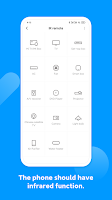
Setup walks you through selecting device type, brand or automatic discovery, then verifies commands with a quick test. The onboarding is progressive: add a frequently used TV first, then expand to soundbars, boxes and streaming sticks. Saved device entries include metadata such as room and model so you can organize controls by location. Over time you can build a compact control system that matches your living spaces without reconfiguring each time.
The app includes accessibility considerations like larger button spacing and high contrast options to assist users with reduced dexterity or visibility needs. Infrared control works entirely offline and does not require an internet connection, making the app useful when a network is unavailable. Network commands are lightweight and include retry logic to handle occasional packet loss on local Wi-Fi, and status indicators help you confirm whether commands were dispatched successfully.
Responsiveness matters for a remote, so the app is designed to minimize latency for both IR pulses and network requests. Background discovery is limited to conserve battery and network resources, while local caching of device profiles speeds up reconnection. Because the app focuses on single-user, single-device control models there are no online leaderboards or multiplayer features to manage, keeping the experience simple and private.
For best results position your phone toward the device when using IR and ensure smart devices are on the same Wi-Fi subnet for network control. Use room-based profiles to keep device lists short and export your layouts before major updates. Widgets and quick-access controls allow one-touch operation from the home screen, and the built-in sleep timer can automate turn-off routines for late-night viewing.
Mi Remote controller - for TV, delivers a practical blend of IR and network control with extensive customization and accessibility options. Whether you rely on legacy IR gear or modern smart TVs, the app is built to simplify everyday media control and adapt as your home entertainment setup evolves.