

SeaTalk is a modern communication app designed for teams and individuals seeking reliable voice, video, and messaging tools in one place. It combines secure calling, streamlined group chats, and intuitive contact management into a lightweight interface that suits both remote work and casual group coordination.
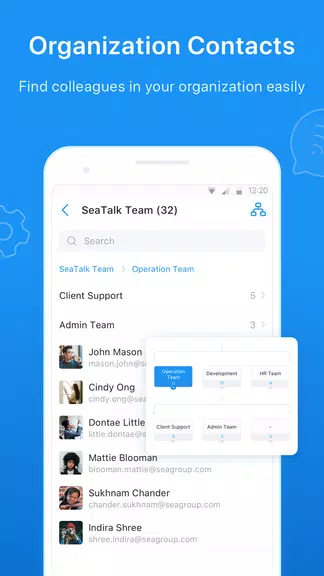
SeaTalk positions itself as a practical alternative to bloated collaboration suites. The design focuses on fast connections and minimal setup: users can create channels, dial contacts, and share files without navigating multiple menus. Integration with device contacts and calendar services reduces friction when scheduling calls or inviting collaborators.
Using SeaTalk is straightforward: install, sign in, and sync contacts. The home view displays active conversations and recent calls, while a single tap initiates a voice or video session. Group creation uses simple invites; users can invite by username, QR code, or direct link. Background synchronization ensures messages and missed call logs appear across devices.
The interface emphasizes clarity: large avatars, readable typography, and concise action buttons reduce cognitive load. On mid-range devices, SeaTalk remains responsive, and background services are optimized to minimize battery drain. Network adaptation keeps media quality steady without overwhelming data caps, and the app avoids unnecessary animations that hamper older phones.
SeaTalk allows customization at multiple levels. Users can choose light or dark themes, configure notification priorities for channels, and tailor ringtone and vibration patterns per contact. Advanced settings include data usage profiles (low, balanced, high quality) and automatic download rules for media to avoid filling storage.
Permissions are grouped by function: microphone and camera for calls, storage for file transfers, and contacts for address book syncing. The app requests only essential permissions during setup and offers clear prompts explaining each access request. Session controls let administrators set retention policies and revoke access for removed members.
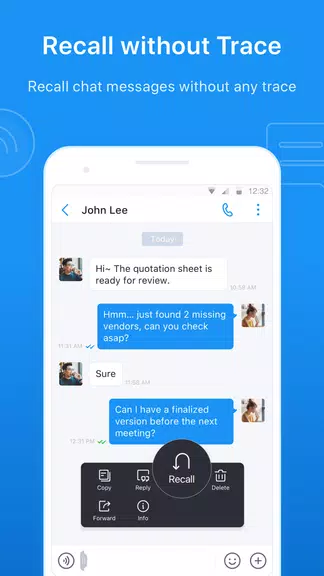
Teams using SeaTalk gain faster decision loops through instant voice calls and threaded messages. The searchable history helps new members catch up quickly, while lightweight file previews speed document reviews. For freelancers and small businesses, integrated scheduling and contact labels reduce time spent switching between tools.
Adopters appreciate SeaTalk for its minimal learning curve and dependable media performance. It bridges casual messaging and professional calls without forcing users into complex configurations. Small teams benefit from the balance of useful features and unobtrusive design.
Installation takes minutes: download, verify via SMS or email, and import contacts. For organizations, SeaTalk supports single-sign-on options and simple provisioning to onboard multiple accounts quickly. Regular updates introduce incremental improvements rather than disruptive interface changes.
SeaTalk serves as a compact communications hub that emphasizes practicality over feature bloat. It performs well on a range of devices and provides essential tools for collaborative work and casual conversations alike. For anyone seeking a dependable, user-friendly app that centralizes calls, chats, and file sharing, SeaTalk is worth evaluating.