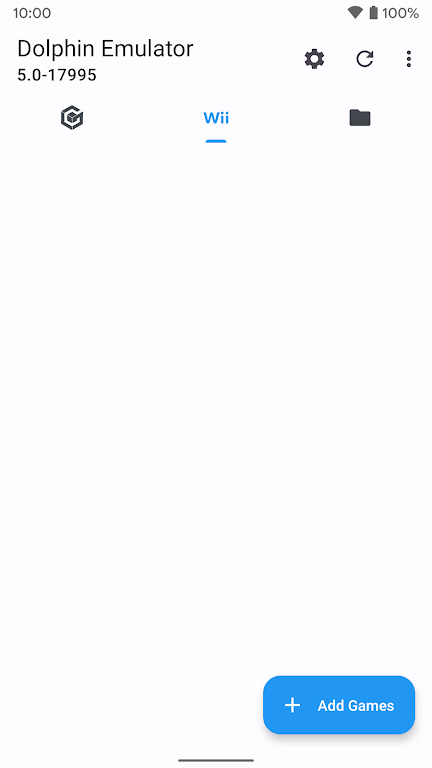
Dolphin Emulator brings an official beta emulator experience to Android devices, letting you run your own game files on modern phones, tablets and select TV devices. Dolphin Emulator is delivered as a 64-bit-optimized build and is updated regularly to improve performance and compatibility for people who want a portable way to play titles they already own. This package does not include games — you must acquire and legally own any titles you intend to use with Dolphin Emulator, and the app is intended for users who want an actively developed emulator with frequent updates and bug fixes.
The app focuses on providing a stable, up-to-date beta environment: official beta builds are distributed with incremental fixes and optimizations, and the 64-bit architecture takes advantage of modern mobile processors. Dolphin Emulator runs user-provided game files from local storage or attached drives and offers limited Android TV compatibility on specific devices. Known Android TV compatible hardware includes several Nvidia Shield TV models (2015 and 2017 generations). Keep in mind that older 32-bit phones or low-RAM devices may not be supported.
Rather than changing how a title plays, the emulator preserves the original gameplay mechanics and progression systems of the games you load. Levels, boss encounters, in-game economies and progression remain governed by each game's built-in design; Dolphin Emulator acts as a host that reproduces those systems on mobile hardware. Because the emulator runs the original game files, features like level structure, puzzles, story beats and the way challenges scale are the same as on the original platform, subject only to compatibility and performance on your device.
Controls are handled locally on your device: Dolphin Emulator supports touchscreen input for simple control schemes and works with external controllers via Bluetooth or USB. You can map physical buttons to in-game controls to match the original layout, and many users prefer low-latency gamepads for precision. On Android TV devices that are supported, controller input is typically the primary interaction method. The app aims to let you configure input that suits your play style without requiring online services.
Visual presentation depends on the original game's assets, but Dolphin Emulator provides settings that influence performance and rendering on capable hardware. You can take advantage of 64-bit performance on modern phones and tablets to increase frame rates or reduce stutter where the device supports it. Developers release incremental updates that refine how the emulator handles rendering and CPU/GPU scheduling, so visual improvements arrive over time. The app also exposes device-specific configuration options to balance graphical fidelity and smooth gameplay on varying hardware.
Progression systems remain those implemented by the games themselves: campaign advancement, collectible systems and unlockables carry over when you play your legally owned titles. Because the emulator runs local game files, you can play offline and revisit levels or scenarios at your own pace. Many games maintain high replay value through branching routes, collectibles and difficulty modes; Dolphin Emulator preserves that replayability by faithfully executing the original game code rather than imposing its own progression rules.
The app includes settings intended to improve accessibility on different devices: adjustable display scaling, configurable controller mappings and per-device performance options help tailor the experience. Because the emulator does not rely on a network connection to run games, it can be used in offline environments and adapted to assistive hardware that integrates with Android. User experience focuses on making configuration straightforward while exposing advanced options for users who need fine-grained control over performance and input.
Dolphin Emulator runs local game files so offline play is fully supported; you do not need an internet connection to load and play titles you own. Challenge systems are determined by the games themselves — difficulty modes, achievement-like in-game goals and time- or score-based challenges are preserved as originally designed. Limitations include lack of included game content, the requirement for a 64-bit device, and Android TV support that is limited to a handful of known compatible devices. Performance and compatibility will vary across devices and titles.
This distribution of Dolphin Emulator is the official beta channel and receives regular updates aimed at improving compatibility and performance. Each release may include bug fixes, small feature refinements and optimizations for newer Android hardware. For best results, check compatibility lists and device-specific guidance before use, and remember to supply your own legally obtained game files when using the app.