
PCS Mobile delivers a compact yet powerful toolkit for field teams, combining real-time dispatch, data capture, and offline synchronization into one Android application. PCS Mobile helps organizations streamline operations by connecting staff, assets, and reports while keeping the interface intuitive for fast on-the-go decisions and reliable recordkeeping.
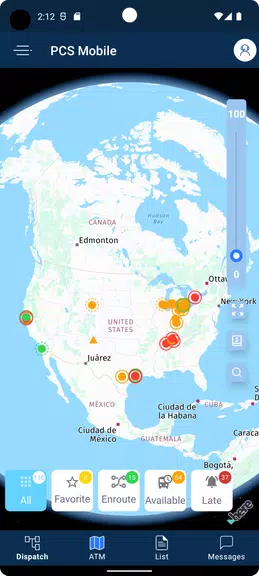
At its core, PCS Mobile focuses on practical tools that reduce administrative friction. The app includes configurable digital forms for inspections and incident reporting, GPS-enabled location tracking, and a ticketing system for assignments. Field users can attach photos, voice notes, and signatures directly to records, ensuring that every job entry carries the necessary evidence and context.
Data synchronization happens efficiently: small deltas are transmitted to minimize bandwidth usage, while large attachments upload asynchronously to prevent interruptions. Administrators can define custom data fields and validation rules so entries match organizational standards, and export options support CSV, PDF, and common analytics platforms.
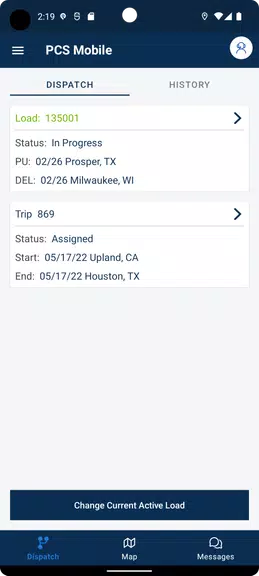
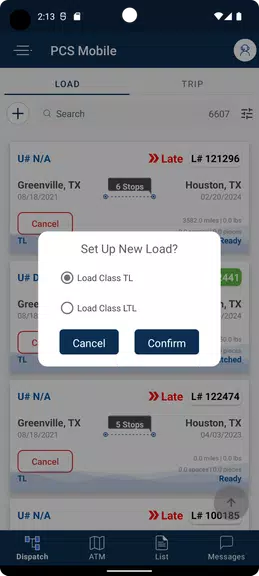
PCS Mobile adopts a clean, task-oriented layout that emphasizes readability and speed. Primary actions—such as creating a new task, updating status, or accessing assigned work—are front and center. Menus are organized by role to present only relevant options, reducing cognitive load for technicians and supervisors.
The app also supports a dashboard view where users see prioritized items, unread messages, and upcoming deadlines. Contextual prompts guide users through complex workflows, and help overlays provide quick tips without requiring a separate manual.
PCS Mobile is built to complement a wide range of operational processes. Integrations with scheduling systems and asset databases allow tasks to be auto-generated from triggers such as sensor alerts or customer requests. Workflows can include conditional steps, approvals, and escalation rules, which makes the solution suitable for maintenance teams, field services, and inspections.
Administrators control role-based permissions to ensure that users only see and alter data necessary for their responsibilities. Tasks flow through configurable stages so managers can monitor progress, redistribute work, and close items with audit trails preserved for compliance and review.
Customization is a strong point for PCS Mobile. Organizations can tailor forms, notifications, and status workflows without code. For deeper integrations, the app exposes APIs and supports webhooks to stream events into enterprise systems. Themes and language packs allow a branded experience and support multinational teams.
PCS Mobile is optimized for Android devices across a range of performance profiles. It employs adaptive image compression and background sync strategies to conserve battery and data. Offline mode keeps critical functionality available when connectivity drops; queued changes are reconciled automatically when a connection returns.
The app supports common device sensors and peripherals including barcode scanners, Bluetooth-enabled measurement tools, and external GPS receivers. A lightweight update mechanism ensures security patches and feature releases reach devices with minimal disruption.
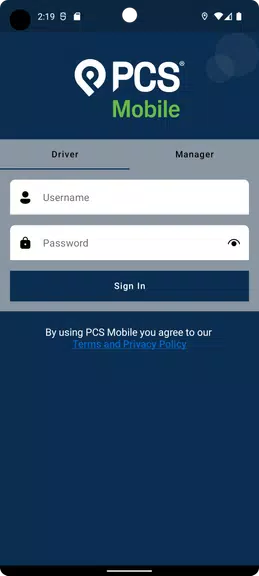
Security measures in PCS Mobile include encrypted data transmission, local storage encryption, and granular access controls. Authentication supports single sign-on providers and two-factor methods for elevated assurance. Audit logs record user actions, providing transparency for inspections and regulatory needs.
The application also offers configurable data retention policies and role-based visibility to help meet privacy requirements. Administrators can enforce device policies like remote wipe and enforced screen locks when necessary.
Deploying PCS Mobile begins with a short onboarding process: configure forms, set user roles, and establish sync parameters. New users benefit from in-app tutorials and guided setup wizards that reduce training time. Support channels include documentation, community forums, and direct technical assistance for integration projects.
For organizations seeking to modernize their field operations, PCS Mobile presents a flexible, secure platform that balances robust capabilities with an approachable user experience. Its emphasis on customization and offline reliability makes it a practical choice for teams that need dependable tools in dynamic environments.