

GeTime is a productivity app that combines time tracking, task management, and scheduling into a single streamlined tool. It helps users map their day, measure how time is spent across projects, and set focus intervals with minimal friction, offering clear insights that support better planning and more productive routines.
GeTime brings together practical features designed for professionals, students, and anyone who wants to regain control of their calendar. Key capabilities include automatic and manual time tracking, project and task tagging, configurable focus timers, and daily/weekly analytics. The app also supports integrations with calendar services, allowing you to sync events and avoid double-booking.
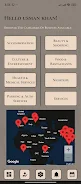
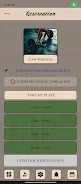
The interface is intentionally clean: a dashboard highlights current tasks and a timeline view shows recent activity. Color-coded projects make it easy to skim priorities, while quick-action buttons let you start or stop timers with a single tap. Tooltips and short walkthroughs guide first-time users without overwhelming them, and adaptive layouts work well on phones and tablets.
Workflows in GeTime are flexible and customizable. You can create multi-step tasks, assign them to projects, and attach notes or files. Tasks can be reordered, paused, or split across time blocks. The built-in focus timer supports customizable intervals and break patterns, encouraging the use of techniques such as Pomodoro while enabling longer uninterrupted sessions when needed.
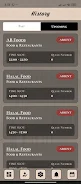
Reporting is one of GeTime’s strongest areas. Generate reports by day, week, or custom ranges to see where hours are allocated and how productive different activities are. Export options include CSV and simple summaries for sharing with clients or teams. Visual charts make trends easy to interpret, helping you identify recurring distractions or underutilized time slots.
Customize how GeTime fits into your routine with adjustable notification settings, theme choices, and project color schemes. Smart controls allow automatic rules to start or stop timers based on location, connected Wi-Fi networks, or scheduled calendar events. These automations reduce manual tracking and help maintain accurate logs without constant input.
Although useful for solo users, GeTime also scales to small teams. Shared projects let team members log time against the same workspace, and role-based access controls keep sensitive data private. A centralized admin view shows team-wide activity and lets managers approve or export timesheets for invoicing or payroll.
GeTime is optimized for low battery consumption while running in the background and is engineered to minimize data usage during sync. The app is compatible with a wide range of Android devices and supports offline mode so you can record time without an internet connection; entries sync automatically when connectivity returns.
Privacy is treated seriously: local data encryption and optional cloud backups give users choice and security. Permissions are requested only for essential features such as calendar access or storage, and the app provides clear settings to control what is shared with external integrations.
To get the most from GeTime, define core projects and avoid overly granular task lists that are hard to maintain. Use the focus timer to protect deep work sessions and review weekly reports to spot patterns. Regularly archive completed projects to keep the workspace uncluttered and rely on automations to reduce manual steps.
GeTime offers a balanced mix of tracking, planning, and analytics that fits a variety of routines. With thoughtful configuration and regular review, the app can become a central tool for improving time awareness and turning intentions into completed work.