
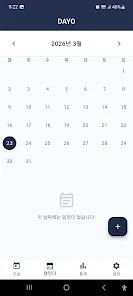

Dayo is a lightweight productivity app that centralizes daily planning, task tracking, and quick note capture in one clean interface. It helps users organize to-dos, set priorities, and review progress with minimal friction, blending simple lists and calendar views to keep routines on track and deadlines visible.
Dayo streamlines everyday organization by combining a task manager, reminders, and a lightweight journal into a single Android app. Instead of juggling multiple tools, Dayo provides a unified place to capture ideas, schedule tasks, and monitor the completion rate of daily habits. The app targets users who want an efficient workflow without a steep learning curve.
Dayo favors a clean layout with clear typography and minimal visual clutter. The main screen presents today’s tasks by default, with swipe gestures to move items between days or mark them complete. Editing is inline wherever possible, reducing taps. The app allows color-coded lists and adaptive dark mode, so the interface feels modern while remaining easy to scan during busy days.
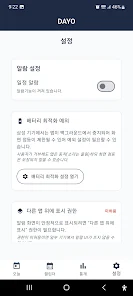
Customization in Dayo is practical rather than gimmicky. Users can set default reminder times, tweak notification behavior, and choose how completed items are archived. Templates for recurring task groups speed up setup for weekly routines or project checklists. For power users, bulk-edit options and multi-select actions make reorganizing large lists quick and painless.
Dayo supports cloud sync to keep tasks consistent across devices, with optional local backups for users who prefer not to use online storage. The app is optimized for modern Android versions and remains responsive on midrange hardware. Battery-friendly sync intervals and compact data usage make Dayo suitable for daily use without significant performance trade-offs.
Privacy is a core consideration: Dayo minimizes required permissions and offers configurable backup encryption for exported data. Users choose whether to enable cloud features and can clear local caches when needed. The app’s permission model is transparent, listing each requested access and its purpose during initial setup.
Begin by adding a few high-priority tasks for the day and enabling reminders for anything time-sensitive. Use tags to separate contexts like Work, Home, and Errands. Explore the widget options to place a daily checklist on your home screen for continuous visibility. Within minutes you’ll have a habit of checking Dayo first thing in the morning and again during planning sessions.
For better results, keep tasks short and actionable, use recurring rules for regular chores, and review the completed list weekly to identify bottlenecks. Combine Dayo’s calendar view with colored tags to spot overloaded days at a glance. Turning on smart notifications helps reduce interruption while ensuring important deadlines still surface.
Dayo balances simplicity with practical features, offering a compact toolkit for organizing time and tasks on Android. Its straightforward design, handy integrations, and privacy options make it a solid choice for users seeking an effective daily planner without clutter.