MuseLead Synthesizer is a mobile-oriented synth studio that puts powerful sound design and live performance tools into a compact, easy-to-use interface. Combining deep wavetable editing, responsive touch controls, and preset management, MuseLead Synthesizer aims to be a go-to app for producers, live performers, and hobbyists seeking modern, flexible tones.
MuseLead Synthesizer functions as a standalone synthesizer and sketchpad. It generates classic leads, pads, basses, and experimental textures using a layered engine. Users can chain modulation sources, apply effects, and tweak envelopes to shape sounds in real time. The app supports low-latency audio for responsive play and integrates with external MIDI devices for studio workflows.
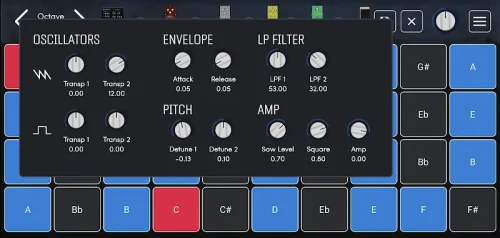
The heart of MuseLead Synthesizer is a multi-oscillator engine with selectable waveforms, wavetable scanning, and analog-style detune. Each oscillator includes independent filters and stereo spread. A flexible modulation matrix routes LFOs, envelopes, and performance controls to almost any parameter, enabling evolving sounds and dynamic patches without complex menus.
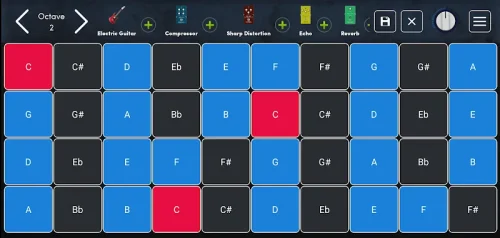
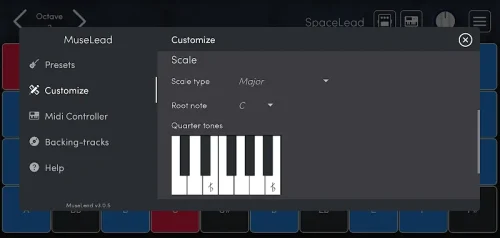
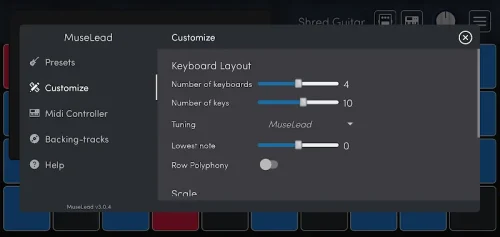
MuseLead Synthesizer balances depth and accessibility. The main screen prioritizes playability with a responsive keyboard and quick-access macros. Deeper panels present envelopes, filter graphs, and the modulation matrix. The visual feedback for LFOs and filter cutoff helps users understand signal flow and hear changes instantly, which flattens the learning curve for new sound designers.
Producers will find MuseLead Synthesizer useful both in sketching ideas and final production. The app exports presets and supports MIDI program changes, allowing easy recall in live sets. Use it as a standalone sketch tool or route audio into a DAW using internal routing or an audio interface. The lightweight CPU footprint means multiple instances can run on modern devices without overwhelming system resources.
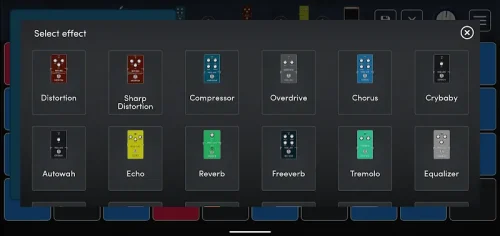
Patch creation centers on a straightforward signal chain: oscillators into filters, then through effects. Users can layer sounds and assign macros to multiple parameters for instant tonal adjustments. Advanced options include high-resolution filter types, envelope loop modes, and synchronized modulation, enabling both vintage textures and contemporary digital timbres.
MuseLead Synthesizer is optimized for touch and mouse input, with clear control sizes and meaningful visual cues. Load times are brief and preset switching is smooth. Latency is minimized for real-time play, and the app offers simple CPU scaling options to trade off quality for efficiency on older devices. Error recovery and preset backups reduce the risk of losing work during intense sessions.
Many users appreciate MuseLead Synthesizer for its combination of immediacy and depth. It provides quick access to playable sounds while offering advanced routing for experienced designers. Whether crafting a punchy lead for a track or exploring atmospheric soundscapes, the app scales to different creative needs without overwhelming the workflow.
Installation is straightforward from your device’s store. First-time setup guides introduce the main sections and recommend starter presets. From there, musicians can plug in a MIDI keyboard, browse presets, and begin customizing patches within minutes. The included manual and in-app tooltips support rapid familiarization for both beginners and seasoned users.