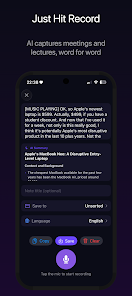
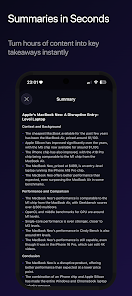
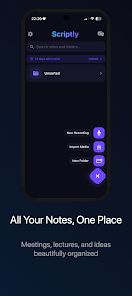
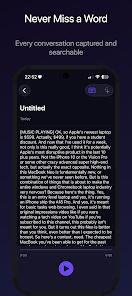
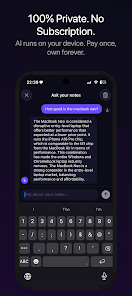
Scriptly AI Notebook is a smart note-taking app that combines AI-assisted writing, structured notebooks, and fast search to streamline creative and professional workflows. It helps users capture ideas, draft content, and organize research with context-aware suggestions and export options across devices.
Designed for writers, students, and knowledge workers, Scriptly AI Notebook blends familiar notebook metaphors with machine learning features. Rather than forcing a new workflow, it enhances existing habits: quick notes, longform drafts, checklists, and clipped research all live in one place. The result is a lightweight workspace that removes friction from ideation to polished output.
The feature set is aimed at improving everyday productivity. Auto-complete speeds up repetitive phrasing while context-aware prompts help expand bullet points into paragraphs. Built-in templates speed start-up for common tasks like meeting notes, content briefs, and research summaries. A distraction-minimal editor keeps focus on words, with inline formatting and quick shortcuts for common editing needs.
Search works beyond keywords. Scriptly AI Notebook indexes content, tags, and metadata so you can pull together related notes quickly. Filters let you narrow by date, tag, or notebook, and a recent view surfaces what you were working on last. The organizational tools reduce time wasted hunting for past ideas.
The interface favors clarity. Menus are pared back and primary functions sit within easy reach. Pages load quickly even with larger documents, and the editor handles multimedia inserts like images and code snippets without significant slowdowns. Memory use is conservative, keeping the app responsive on mid-range devices.
Users can tailor the workspace to their needs. Choose between compact and spacious layouts, toggle dark mode, and create reusable templates. Custom tag schemes let teams impose structure while individuals can keep a freer form. Export options include plain text, Markdown, and PDF for sharing or archiving.
Scriptly AI Notebook works well as both a capture tool and a production environment. Start with a short voice memo or a clipped web snippet, and develop that seed into a finished article or report. The app’s AI features reduce draft time, and integrations with cloud storage simplify handoffs to collaborators.
While not a full real-time document editor, the app supports sharing notebooks and exporting collaborative bundles. Commenting and version history help track changes. Teams that need tight concurrent editing may pair Scriptly with a cloud editor, using Scriptly for drafting and research aggregation.
Users appreciate how the app balances helpful automation with manual control. The AI suggestions feel like optional accelerators rather than mandates, and the organizational tools scale from single users to small teams. For anyone who juggles notes, drafts, and research, the app reduces overhead and keeps ideas moving forward.
Installation is straightforward from the app store. Account setup asks only for essentials and you can import existing notes from common formats. Spend a few minutes configuring templates and tags, and you’ll notice improved pace from the very first session with Scriptly AI Notebook.