









Ushield is a mobile security app that safeguards Android devices against malware, privacy leaks, and intrusive ads while offering convenient tools like a VPN, app lock, and anti-theft features. It combines real-time scanning and scheduled checks to simplify protection for everyday use without complicated settings.
The app centers on multi-layered defenses designed to keep your device safe without excessive battery drain. Real-time scanning watches installed apps and downloads for suspicious behavior. A manual scan mode provides deep checks of files and system folders. The built-in virus database updates frequently to recognize emerging threats, while a quarantine area isolates questionable files so you can decide whether to restore or remove them.
Ushield includes network-focused tools to protect personal data when you connect to public Wi-Fi. The integrated VPN masks traffic to reduce the risk of snooping, and an intelligent ad-blocker trims intrusive content and tracking scripts in browsers and apps. Together these features help prevent data leaks, limit targeted advertising, and make browsing faster on congested networks.
Beyond scanning, Ushield offers practical device controls. An app lock lets you secure individual applications with a PIN or biometric unlock. Anti-theft tools enable remote locking, location tracking, and an alarm trigger in case of loss or theft. These options are accessible via the app interface and, when configured, through an online dashboard to help recover the device or protect sensitive information quickly.
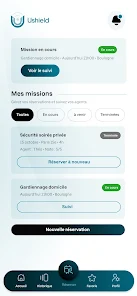
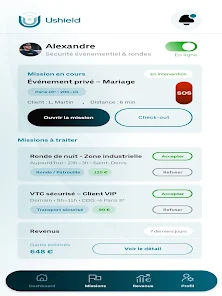
The interface focuses on clarity and straightforward navigation. Home screens display protection status, recent scan results, and one-tap actions for a full system scan or quick clean-up. Settings are grouped by category—Security, Privacy, Network, and Account—so users can fine-tune behavior without wading through technical menus. A setup wizard guides first-time users through recommended defaults to ensure strong protection from the start.
Designed for efficiency, Ushield minimizes background resource use to preserve battery life and system responsiveness. Scanning algorithms prioritize known risk indicators to reduce scan times, and scheduled scans can be set to run only while charging or on Wi-Fi to avoid disrupting normal use. Compatibility extends across a wide range of Android versions and device manufacturers, with adaptive behavior for low-memory devices.
Respecting user privacy is a key focus. Ushield requests only permissions necessary for its features—storage access for scanning, location for anti-theft, and accessibility services for app locking where applicable. The privacy policy explains data handling, telemetry, and update procedures so users understand what is collected and why. Local processing is used for sensitive scans when possible, and cloud services are leveraged only for threat updates and certain remote functions.
The app offers a free tier with basic scanning and privacy features, plus an optional premium subscription for advanced capabilities such as VPN with a larger server pool, automated phishing protection, and priority customer support. Regular updates deliver new threat definitions and feature enhancements. Support options include in-app help, an online knowledge base, and email assistance for account or technical questions.
To get the most from Ushield, install and complete the initial setup to enable recommended protections. Schedule periodic deep scans and keep automatic updates turned on. Use app locking for financial and messaging apps, enable the VPN on public networks, and test the anti-theft options so you are familiar with remote controls. Periodic review of granted permissions helps maintain a tight security posture.
Ushield blends essential security tools with a user-friendly interface so daily protection is both simple and effective. Its combination of malware detection, privacy features, device controls, and efficient performance makes it a practical choice for users who want comprehensive defenses without a complex setup. The app balances robust protection with sensible defaults for a smoother mobile experience.