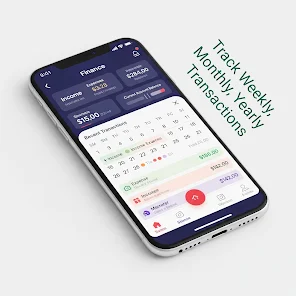
My Money Manager 2026 is a practical personal finance utility designed to help you track expenses, plan budgets and visualise where your money goes so you can save more and reach specific goals. In the first few moments you open My Money Manager 2026 you notice an emphasis on speed and clarity: transaction entry is streamlined so common fields — amount, category and date — are available on a single screen and reminders for due dates keep recurring bills from slipping through the cracks. The app supports multiple currencies, an optional secure cloud backup, and a dark theme so it adapts to different working styles and environments while remaining usable offline.
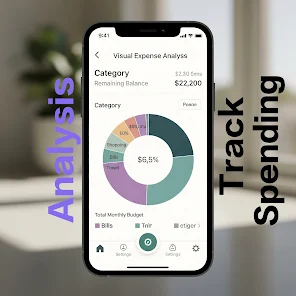
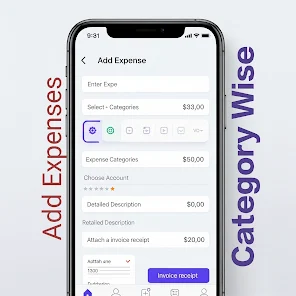
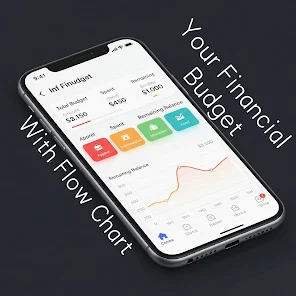
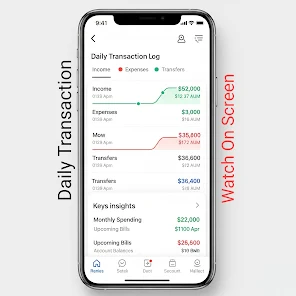
The app provides a fast expense tracker with a clean, uncluttered layout that reduces friction for everyday use. Entering a purchase or income item takes only seconds because the interface highlights frequent categories and recent amounts, and you can edit or delete entries quickly if you need to make corrections. Budgets are flexible: choose monthly presets or build custom budget periods and assign spending limits to categories to monitor progress visually. Visual reports and charts turn raw numbers into clear insights about where your money is going, showing category breakdowns and trends over weeks and months so you can recognise recurring costs and one-off spikes.
Controls are intentionally simple and aimed at speed: a single-tap add transaction flow, clear date selectors and an easy-to-navigate category picker make routine entries fast. The workflow encourages regular tracking by keeping the most-used functions within thumb reach on mobile screens, and notifications remind you about upcoming due dates or budget thresholds. For users who prefer a minimal routine, the app stores common choices so repeat entries are faster over time and goal progress is kept front-and-centre on the main screen.
Progression is driven by clear milestones and goal tracking: set a savings target, allocate monthly contributions and watch a progress bar move as you add transactions. The app helps you break larger objectives into manageable monthly goals and highlights when you hit milestones, making it easier to stay motivated. Notifications about goal progress and budget limits are built into the experience so you receive timely nudges that support sustained, repeatable behaviour rather than one-off adjustments.
The visual style is intentionally restrained with readable fonts, clear contrast and an optional dark mode to reduce eye strain in low-light conditions. You can customise categories to match your personal spending habits and choose which charts appear on your dashboard. The design focuses on legibility and straightforward interactions to support a broad range of users, from students managing tight budgets to professionals overseeing household expenses. These choices improve accessibility by keeping screens consistent and predictable.
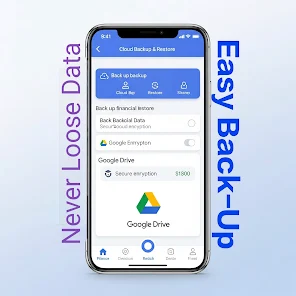
Information is organised by date ranges and categories so you can inspect month-by-month performance or compare custom periods. Because My Money Manager 2026 is built with an offline-first approach, it works reliably without a network connection and preserves your data locally unless you opt into the secure cloud backup and restore feature. That offline reliability makes it useful on planes, in areas with limited connectivity or simply for users who prefer to keep their primary records on-device.
The app’s long-term value comes from routine use: returning to record daily transactions, review weekly charts and adjust budgets keeps financial awareness high and creates a historical record you can consult when planning larger purchases or savings plans. The combination of quick entry, visual feedback and goal tracking encourages repeated engagement without becoming intrusive, which increases the chance that budgeting habits will stick.
Advantages include private, device-first data storage unless you choose to back up to the cloud, a simple and clean interface that keeps daily tracking fast, and visual charts and reminders that make budgets and upcoming payments easy to manage. My Money Manager 2026 supports multiple currencies and theme options such as dark mode to fit different user preferences. Limitations are also clear: the app does not offer automatic bank synchronization, so some transactions may need to be entered manually, and advanced financial features like dedicated investment tracking or tax reporting are not highlighted in the current feature set. Users who need highly custom report templates or enterprise-grade accounting tools may find the built-in summaries limited.