
Fire VPN is a lightweight Android app that secures your internet connection with fast, encrypted tunnels and a simple one-tap interface. It provides access to geo-restricted content, private browsing, and public Wi-Fi protection while minimizing battery and data use so you can stay private on the go.
Built for everyday use, Fire VPN combines essential privacy tools into a compact package. The app offers AES-grade encryption, multiple server locations, and automatic reconnect to keep sessions alive. It also supports split tunneling for selected apps, DNS leak protection, and a kill switch to block traffic if the VPN connection drops.
Fire VPN routes your traffic through secure servers to mask IP addresses and bypass regional blocks. A streamlined connection flow reduces setup time: pick a location, tap connect, and the app negotiates an encrypted channel. Background mode maintains connectivity while you switch apps, and the minimal permissions list helps reduce friction on Android devices.
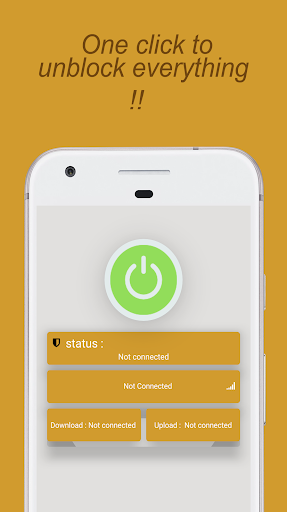
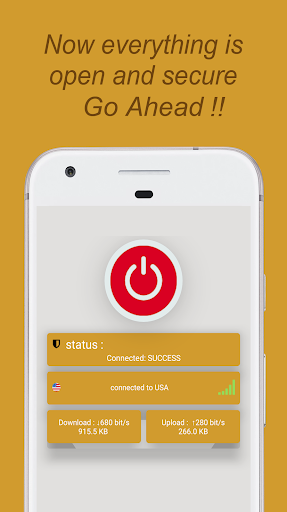
The interface focuses on clarity: connection status, selected server, and data usage are visible at a glance. Server lists are searchable and show latency estimates so you can choose low-latency gateways for streaming or gaming. One-tap favorites let you return to preferred servers without digging through menus.
Privacy is a central design principle. Fire VPN keeps session logs to a minimum, with options to clear recent activity and limit stored metadata. The app uses modern ciphers and regularly updated certificates to prevent interception. For users who need additional assurance, there are settings to force IPv6 or IPv4 behavior and to configure custom DNS.
Performance is optimized for mobile networks and constrained hardware. Fire VPN uses lightweight protocols where possible to reduce battery drain and maintain throughput on 4G/5G and Wi-Fi. The app is compatible with a wide range of Android versions and devices, and automatic server selection picks a nearby endpoint for faster speeds.
Fire VPN helps when you travel, access region-locked services, or want to protect data on public hotspots. It’s also useful for remote work scenarios where a secure channel to company resources is required. Regular users will appreciate the small app footprint and the ability to whitelist certain apps from the VPN tunnel.
Install and open the app, then grant the minimal set of permissions required to establish VPN tunnels. Select a server from the list or use the recommended location to get started quickly. Enable the kill switch if you plan to exchange sensitive information, and try split tunneling to conserve bandwidth for non-critical apps.
For more control, explore protocol choices and manual DNS entries. You can fine-tune how Fire VPN handles reconnections, choose between TCP or UDP for greater reliability or speed, and set up an on-demand connection for specific networks. These options make the app flexible for both casual users and tech-savvy operators.
Fire VPN includes in-app diagnostics and a help center that covers common setup issues, billing, and account management. Regular updates bring security patches and server optimizations. If you encounter connectivity problems, toggling server locations or switching protocols usually resolves them quickly.
Select Fire VPN when you want a straightforward, efficient way to improve privacy and access blocked content from an Android device. It balances essential protections with practical features that respect battery life and data consumption, making it a solid choice for daily mobile security.