
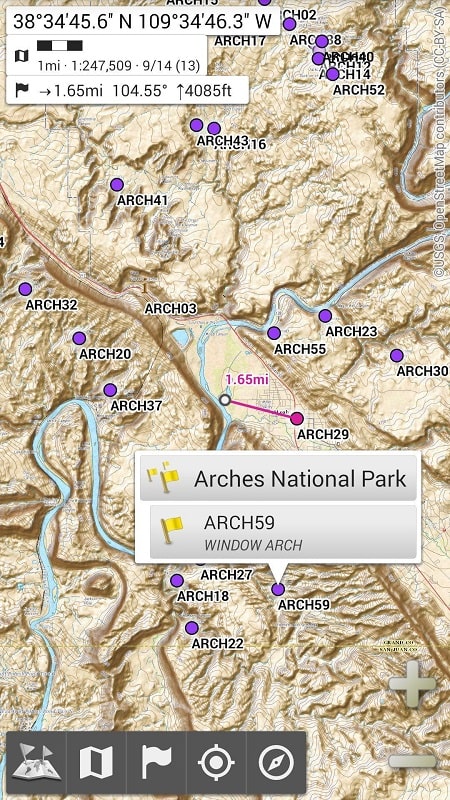
All-In-One OfflineMaps is a compact, feature-rich mapping app designed to give you reliable navigation and location data without a mobile connection. It combines downloadable maps, offline search, and routing tools so you can explore, plan trips, and access points of interest even when cellular service is unavailable.
All-In-One OfflineMaps packages a set of practical tools for travelers, hikers, field workers, and anyone who needs dependable map access. Key capabilities include high-resolution offline tiles, vector map support for smaller storage use, and a built-in search engine that works offline. The app emphasizes fast loading times and clear map rendering across devices.
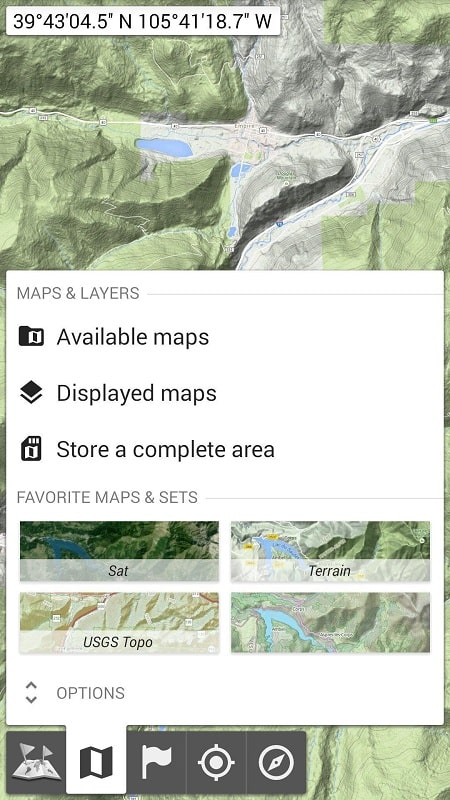
The interface in All-In-One OfflineMaps is designed for straightforward access to essential actions. A persistent download manager displays active and completed map downloads, while a single-tap access to the offline search and route planner keeps the workflow efficient. Map layers and overlays are accessible via a compact menu, and common functions are reachable with minimal taps.
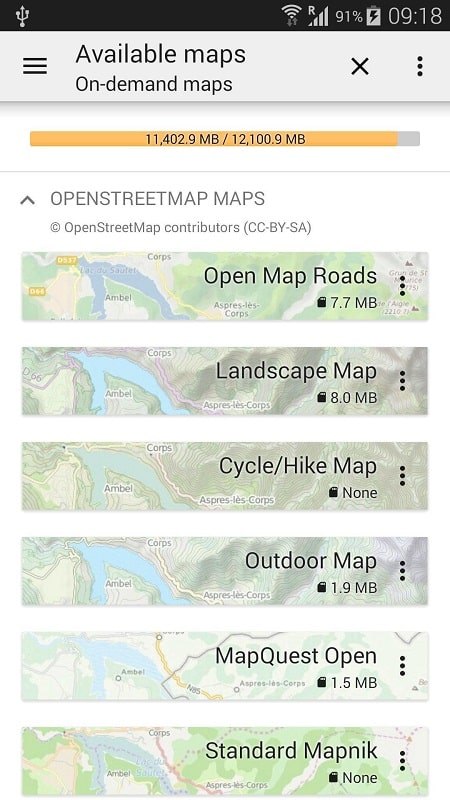
Downloaded content is organized into manageable map packages. You can specify tile resolution and level of detail before downloading, which helps control storage consumption. Automatic cleanup options free space by removing older or infrequently used maps. Background download support allows large areas to be saved while you continue using the device for other tasks.
All-In-One OfflineMaps calculates routes locally to avoid dependence on networks. The route engine supports multiple profiles and recalculates quickly when you deviate from a planned path. Safety features include speed and distance alerts, and the ability to save emergency waypoints so location data can be shared with contacts if needed.
Advanced users can tweak map rendering, cache sizes, and set preferences for routing algorithms. The app supports custom styles and import/export of map data for offline use in other tools. Users who need precision can enable higher-resolution tiles for detailed areas and use manual tile selection to limit downloads to only what’s necessary.
All-In-One OfflineMaps is optimized for smooth performance on a wide range of Android devices. Vector maps reduce memory load and accelerate panning and zooming, while adaptive tile fetching keeps CPU and battery impact low. Minimum device requirements and recommended storage are clearly listed in the app, helping users prepare before downloading large map regions.
Begin by selecting a country or region to download, choosing the resolution and layers you need, then allowing the app to prepare the offline index. All-In-One OfflineMaps guides first-time users through tile selection and shows recommended settings based on device storage. Importing GPX files and setting up favorite locations is straightforward from the main menu.
All-In-One OfflineMaps delivers a reliable mapping experience when internet access is limited or unavailable. With flexible download options, offline search, and local routing, the app equips users to navigate confidently and manage spatial data efficiently wherever they go.