During a long wait at a clinic reception, having a reliable way to check facts or sketch out an idea can turn idle minutes into something useful. Perplexity brings an AI-powered question-and-answer interface to Android that aims to make those moments productive. The app combines a clean, dark-friendly layout with quick replies and visible source links so you can see where answers come from. Whether you want a concise definition, a short summary, or a list of follow-up points, Perplexity puts that workflow in your pocket while keeping sign-in optional and search history available if you choose to save it.
Install and open: Download the APK, install as usual on Android, and launch the app to reach the main query screen.
Sign in or skip: You can log in with your Google account to sync searches and access history, or skip registration to use the app immediately without linking an account.
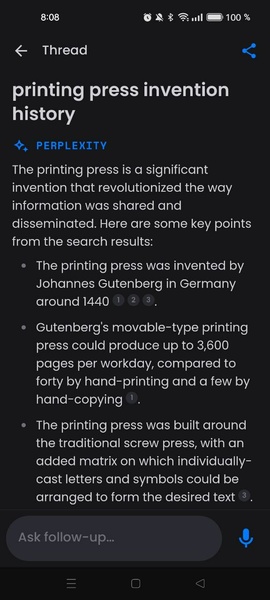
Type and receive: Enter a question or prompt in plain language and Perplexity will generate a response in seconds, often accompanied by the pages or sources it consulted.
Dark mode interface: A low-contrast theme helps reduce eye strain during night use and keeps the display minimal and focused.
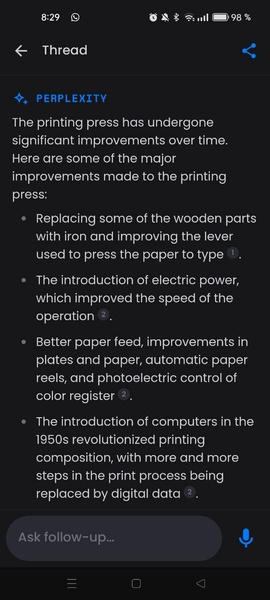
Fast, conversational answers: Replies are presented in a clear text block so you can scan results quickly and decide whether you need more detail.
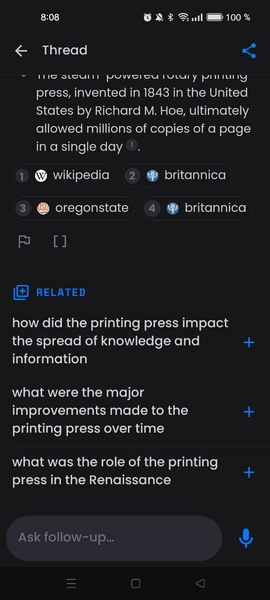
Source citations: Each answer often lists links or references used to form the response, so you can verify facts or read the original material.
Search history and sync: If you sign in, your recent queries are saved for later review, making it easier to pick up research where you left off.
Online-only lookup: Perplexity requires an internet connection to fetch up-to-date information and consult live sources before answering.
Ask clear, focused questions: One-sentence prompts tend to return the sharpest answers; include context like timeframe or location only when relevant.
Use follow-ups: Treat the app like a conversation. If the initial reply is too broad, ask for examples, summaries, or step-by-step instructions to refine the result.
Practical scenarios: Draft a concise outline for a short presentation during a lunch break, or quickly check multiple angles on a news item while waiting for a delayed train.
Perplexity is a handy mobile companion when you need fast, sourced answers and a tidy interface that keeps the focus on the question. It shines for everyday research, drafting short content, and fact-checking on the move, though it depends on an active internet connection and should not replace specialized or professional advice for critical decisions.