TranslexAI is a mobile translation suite that blends neural machine translation, voice recognition, and camera-based text capture to help users communicate across languages. It handles text, speech, and images with customizable glossaries and offline packs, delivering fast, context-aware translations for travel, work, and study situations.
TranslexAI brings together advanced language technologies into a single, compact app. Its main capabilities include real-time voice translation, multi-language text conversion, document scanning with OCR, and a smart dictionary that learns from corrections. Users can download offline language models for secure, network-free operation and create project-specific glossaries to preserve terminology.
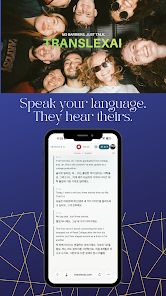
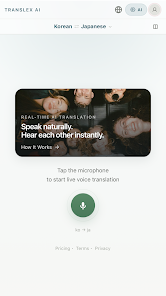
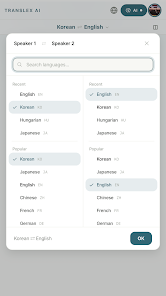
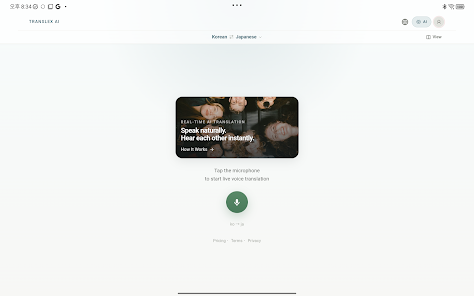
The app uses a clean, card-based interface that guides users through common tasks: translate text, converse live, import a photo, or open a document. A persistent language bar makes switching source and target languages quick, while suggested phrases and recent translations are stored for one-tap reuse. TranslexAI’s interface emphasizes clarity so users spend less time configuring settings and more time communicating.
Under the hood, TranslexAI relies on neural networks trained on diverse bilingual corpora to provide natural-sounding output. The speech module uses on-device voice models for low-latency recognition and supports noise-robust processing for public spaces. Optical character recognition (OCR) extracts text from images and PDFs, feeding detected segments into the translation pipeline. A post-editing layer applies glossary rules and user corrections to refine results.
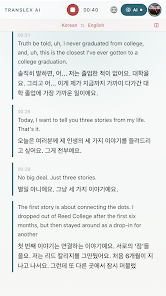
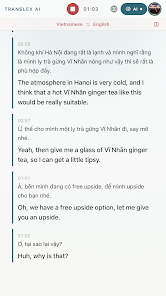
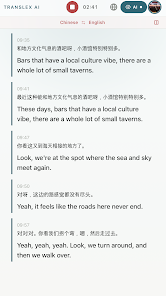
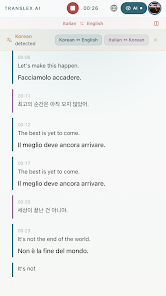
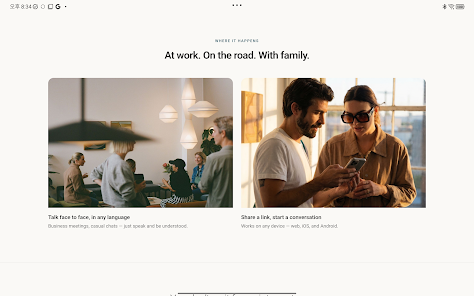
TranslexAI fits many real-world scenarios. Travelers can translate menus and signage using the camera mode; business professionals can import presentations and preserve technical terms; students can convert foreign language notes and add annotated translations. The live conversation mode turns two-way speech into near-instant translations, letting small groups converse without switching devices or apps.
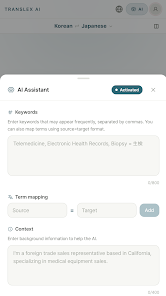
Advanced users will appreciate TranslexAI’s customization options. Create and share glossaries to enforce consistent terminology across teams, pin frequently used phrases for offline access, and batch-translate documents for quick review. Integrations include clipboard monitoring for instant translations of copied text and export options to save translated files in common formats.
TranslexAI is optimized to balance speed and quality. On modern devices, translations are returned in a fraction of a second for short phrases and within a few seconds for longer passages. Offline language packs are sized to provide robust models while conserving storage; the app adapts model complexity based on device capabilities. It supports a wide range of Android versions and hardware profiles to ensure broad compatibility.
Privacy-conscious users will find value in TranslexAI’s offline mode, which allows sensitive translations to remain local to the device. When connected, the app offers optional encrypted sync for personal glossaries and translation memory. Permissions are scoped to necessary functions—microphone for speech input, camera for OCR—to minimize exposure.
Installation is straightforward: download the app, grant necessary permissions, and select your preferred languages. TranslexAI offers a guided tutorial on first launch that demonstrates camera translation and live conversation setup. Explore settings to tune voice output, cache sizes, and privacy options so the app matches your workflow.
For users needing a flexible translation tool that operates on-device and scales into professional workflows, TranslexAI provides a practical blend of accuracy, speed, and customization. With features that support everyday conversations as well as document-level translation, it aims to simplify multilingual communication across personal and professional contexts.