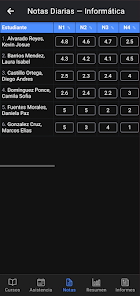
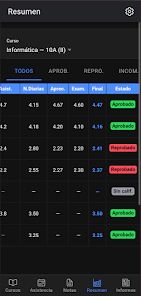
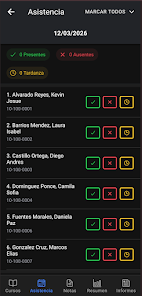
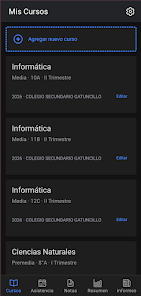
Notas Ágil is a lightweight, productivity-focused note app designed to help you capture ideas, organize tasks, and sync across devices with minimal friction. It blends fast note-taking, simple project organization, and quick search tools into a compact mobile interface that keeps your workflow moving without interruptions.
At its core, Notas Ágil prioritizes speed and clarity. Whether you need to jot a quick reminder, create a checklist, or store a reference snippet, the app provides focused controls that reduce friction. Notes open instantly, editing is fluid, and saving is automatic, so nothing gets lost when you switch tasks.
Using Notas Ágil feels intentional. Start with a blank note or select a template for meeting minutes, shopping, or project planning. The editor supports bullet lists, checkboxes, and basic formatting, so you can structure thoughts without switching apps. When a note accumulates action items, convert bullets to checklist entries and assign due dates or priorities.
Personalization is subtle but effective. Themes control contrast and typography for readability in different lighting. Arrange notebooks in the sidebar to mirror your actual workflow. Smart sorting places recently edited notes at the top, and pinning important items keeps them available at a glance.
The interface emphasizes minimal chrome: a clean top bar, a focused typing area, and contextual toolbars that appear only when you need them. Notas Ágil is optimized for low memory use, so it runs smoothly even on older devices. Animations are intentionally understated to maintain responsiveness.
Export individual notes as plain text, PDF, or share them via messaging apps and email. The app supports clipboard actions for copying multiple items and integrates with Android widgets and shortcuts so you can capture content from outside the app quickly.
Privacy is configurable. Choose local storage with optional device-based encryption or use a reliable cloud sync provider. You can lock the app with a PIN or biometric authentication for added protection. Any sync activity is visible in settings so you can audit transfers.
People choose Notas Ágil when they need a fast, reliable notetaking tool without heavy feature bloat. It hits a balance between simplicity and power: enough tools to manage complex tasks, while avoiding clutter. The predictable performance and straightforward sync options make it a good fit for professionals and students alike.
Installation is quick from the app store and the initial setup walks you through notebook creation, sync preferences, and basic shortcuts. Spend a few minutes setting up templates and tags to see immediate gains in organization. Regular backups are recommended if you store mission-critical information.
If you want a compact, fast note manager that respects your time and attention, Notas Ágil provides a practical, well-designed alternative to heavier productivity suites. It focuses on making note creation and retrieval effortless so you can concentrate on the work that matters.