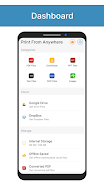
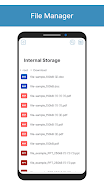
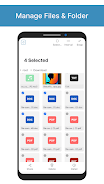
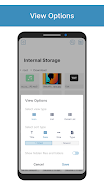
While waiting in a dull meeting or during a lunch break you might need a document on paper fast; Print From Anywhere aims to bridge that gap by letting your Android phone talk to a nearby printer and produce full documents, images or PDFs with a few taps. The app bundles an on-device PDF and image viewer, a simple file manager, and direct printing over Wi-Fi or by IP address, plus converters for office files so you can send familiar formats to printers without jumping between apps.
Connect to a printer: Locate a printer on the same Wi-Fi network or enter its IP address to establish a direct link before printing.
Open or browse files: Use the built-in file manager to find images, PDFs, PPTs or DOCs stored on your device, or open files from cloud services.
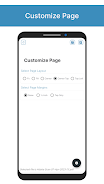
Preview and adjust: Use the page preview to change layout, set margins and choose pages when using direct print options.
Convert when needed: Convert PPT or DOC files to PDF inside the app so they print consistently across devices.
Print: Send the job over Wi-Fi or via IP and monitor progress; the app separates downloaded, cached and converted files for easy access.
Multiple connection methods: Print via Wi-Fi discovery or by directly entering a printer IP address, useful when network discovery is limited.
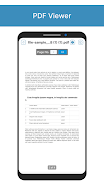
Built-in viewers: Inspect PDFs and images before printing so you avoid wasted paper and incorrect layouts.
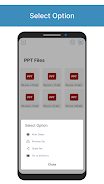
File categories: Quickly find content grouped into downloaded, cached, converted, PPT and DOC categories rather than digging through folders.
Office-to-PDF converters: Convert PowerPoint and Word files to PDF so page breaks and formatting stay intact when printed.
Cloud access: Retrieve documents from Google Drive, Dropbox or OneDrive without first saving them to local storage.
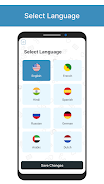
Language support: The interface includes English, Spanish, French and Hindi to cover a wider audience.
Check page preview first: Always examine the page preview to confirm orientation and margins; this avoids reprints and wasted paper.
Use conversion for complex layouts: Convert DOC or PPT files to PDF before printing if the original program and printer handle formatting differently.
Organize files into categories: Rely on the app's Downloaded, Generated Cached and Converted categories to keep repeat print jobs easy to find.
Keep printer details handy: If you often use IP printing, save the IP addresses of frequent printers so you don’t need to re-enter them each time.
Print From Anywhere gives you a compact, practical way to move files from an Android device to a printer, with handy viewers, conversion tools and cloud integration that simplify the workflow; it is ideal if you often print from mobile sources, though users needing advanced print queue management or enterprise-level features may find the app limited compared with dedicated desktop solutions.