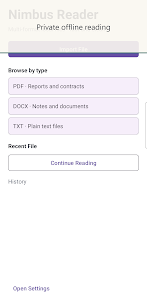
Nimbus Reader is a lightweight, versatile Android app designed for reading, annotating, and organizing PDFs and e-books. It delivers fast page rendering, intuitive navigation, and a robust set of annotation tools for students, professionals, and casual readers who want a dependable mobile reading workflow.
Nimbus Reader supports a broad range of document types and includes features that streamline daily reading tasks. Whether you need precise highlighting for study notes or quick access to cloud files, the app focuses on practical tools without overwhelming the interface.
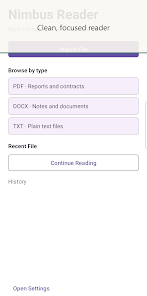
The interface prioritizes readable content and unobtrusive controls. Nimbus Reader keeps the page area uncluttered: toolbars appear when needed and hide automatically during focused reading. Tabs or recent document lists make switching between multiple files quick, and pinch-to-zoom plus smooth scrolling provide a natural feel on phones and tablets.
Annotation features are arranged to support real-world workflows. Create highlights and comments, organize them into categories or color codes, and export annotated copies for sharing. The app’s freehand tool is responsive enough for stylus users, while shapes and text boxes help structure notes for presentations or academic work.
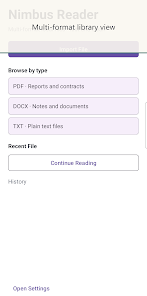
Managing large libraries is straightforward. Nimbus Reader includes sorting, folder views, and a recent documents pane for fast access. Built-in cloud connectors mean you can open files stored remotely without manual downloads. For users who switch devices, an optional sync function keeps reading positions and bookmarks in sync across linked devices.
Designed for performance, the reader uses efficient rendering to minimize load times even on lengthy documents. Battery-friendly optimizations and low memory footprint help maintain responsiveness on older hardware. The app is compatible with a wide range of Android versions and adapts to both phones and tablets, ensuring consistent performance across device types.
Customize your reading environment with font choices, adjustable margins, and line spacing. The text reflow mode improves readability on narrow screens, while dyslexia-friendly fonts and high-contrast themes support accessibility. Controls can be enlarged, and screen reader compatibility helps users who rely on assistive technologies.
To get the most from Nimbus Reader, create a folder structure that mirrors your projects, use color-coded highlights for different types of notes, and enable cloud syncing for backup. Use the search feature to compile quotes or key passages quickly, and export annotated versions when preparing reports or sharing feedback.
File privacy is taken seriously: local storage options keep documents on-device, while cloud connections rely on your provider’s permissions. Sharing tools let you export annotated PDFs or send excerpts directly through messaging apps or email. Permissions are requested only for functions that require them, such as file access or cloud authentication.
Nimbus Reader balances power and simplicity: it provides advanced annotation and file management without adding unnecessary complexity. The app is suitable for anyone who reads on the go, prepares research or class notes, or needs a dependable way to review documents across devices. Its combination of speed, customization, and practical features makes it a solid choice for mobile reading and document handling.