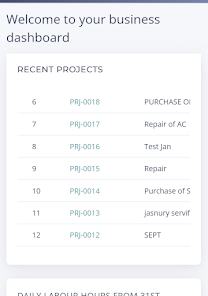
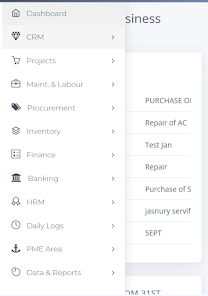
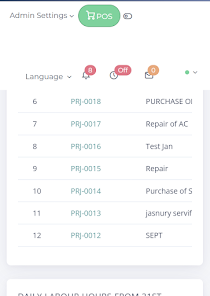
PME ERP is a modular enterprise resource planning app that centralizes inventory, sales, finance, and HR tools into a single mobile-friendly dashboard. It helps small and medium businesses track operations, automate routine workflows, and generate reports, all from a lightweight Android interface designed for field teams and office staff.
PME ERP positions itself as a practical solution for organizations that need a compact but capable ERP on Android devices. The app splits core capabilities into modules so teams can enable only the tools they need. That modular approach reduces complexity while keeping data synchronized between mobile users and back-office systems.
The app is built around quick data entry and synchronization. Field staff can scan items or create sales orders, while managers review reconciled figures from desktop or mobile. PME ERP uses local caching to keep operations running when connectivity is intermittent, then syncs records as soon as a stable connection is detected. Transaction histories remain auditable and searchable.
Integration is a priority for companies moving from spreadsheets to a formal system. PME ERP can connect with common accounting packages and third-party services through APIs and file imports. The workflow engine supports approval chains for purchase orders and expense claims, helping enforce controls without slowing down routine approvals.
Design choices focus on clarity and speed. The interface groups actions by role, so warehouse users see inventory actions first, while sales reps get quick access to quotations and customer profiles. Performance is optimized for mid-range Android devices: screens load quickly, and lists support fast filtering even with thousands of records.
PME ERP offers configurable forms and field-level permissions so companies can tailor the system to industry needs. Although it is optimized for small and medium enterprises, the modular design allows organizations to scale: add additional users, enable finance or HR modules, and expand integrations as operations grow.
Security features include role-based access, encrypted local storage, and secure communication with backend servers. Users report that the learning curve is modest; basic tasks such as creating orders or scanning inventory become routine after a few days. The app's audit trails and user activity logs are helpful for compliance and internal reviews.
Businesses appreciate PME ERP for its practical balance of features and simplicity. It doesn't try to be an all-encompassing enterprise suite, which makes implementation faster and training lighter. For organizations that need a mobile-first ERP without a heavy IT footprint, PME ERP provides an approachable path from manual processes to structured operations.
Installation is straightforward: download the APK through your distribution channel, configure basic company settings, and invite the first users. Plan a short pilot with representative teams, gather feedback, and then roll out additional modules. With a measured rollout and basic training, most teams can transition within weeks rather than months.