

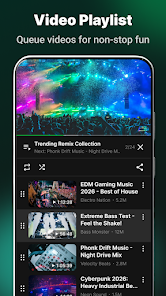
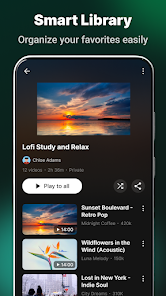

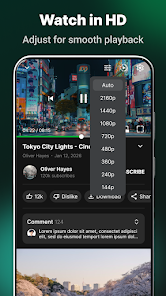
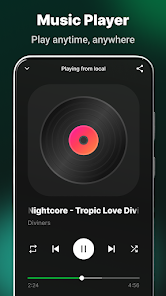

The Tube App: Video & MP3 Player offers a lightweight solution for streaming, downloading and managing audio and video on Android devices. It supports background playback, playlist creation and conversion between formats while keeping a clean interface that makes media access fast and simple.
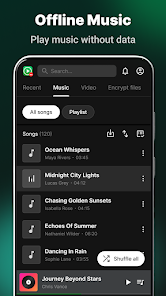
Tube App: Video & MP3 Player focuses on an uncluttered, touch-friendly UI that puts playback controls where you need them. The home screen highlights recent and downloaded items, while a persistent mini-player allows fast skipping and volume adjustments. Menus are logically grouped to help you find playlists, downloads and settings without diving into complex submenus.
Designed for everyday use, the player supports MP4, MKV, AVI, MP3, AAC and many other popular formats. Hardware acceleration helps reduce CPU load during HD playback, and adaptive bitrate handling ensures smoother performance on slower connections. The equalizer and audio effects let you fine-tune the sound profile for headphones or external speakers.
One core strength of Tube App: Video & MP3 Player is its integrated download manager. Save videos or extract audio as MP3 in a few taps, choose download quality, and set a preferred storage location such as internal memory or SD card. A built-in batch downloader speeds up multiple downloads and resumes interrupted transfers automatically, making offline libraries easy to build.
Stream directly from supported sources and cast content to TVs or compatible devices with Chromecast support. Streaming settings include quality limits to conserve mobile data and options to pre-buffer for smoother playback on unreliable networks. The app also offers a preview thumbnail during fast-forward and rewind to help you navigate long files quickly.
Personalize the experience with theme choices, configurable playback gestures and customizable notification controls. Set default actions for tapping media items, enable auto-play for next items in a playlist, and lock orientation to prevent accidental rotation while watching. These small adjustments make the app feel tailored to your daily habits.
Optimized for a wide range of Android versions and hardware, the app balances performance with battery efficiency. It uses hardware decoding where available and falls back to software decoding on older devices. Regular updates expand format compatibility and refine stability across different phone and tablet models.
Privacy-minded users will appreciate that permissions are scoped to necessary functions: storage access for downloads, networking for streaming, and optional microphone access only if you use voice-controlled features. Downloaded files remain on your device until you delete them, and the app avoids transmitting personal media to external servers.
Begin by granting storage access so the app can scan your media and save downloads. Import an existing playlist or open a local file to test playback features. Explore settings to set up preferred download locations and audio profiles, then try converting a short video to MP3 to see the converter workflow. Tube App: Video & MP3 Player is straightforward to set up and flexible enough for users who want both a simple player and a capable media manager.